Network & Traffic Engineering
We engineer and operate mission-critical networks that prioritize speed, security, and absolute availability. Our network engineers handle BGP multi-homing, global SD-WAN deployments, load balancing (F5, NGINX) and low-latency data center fabrics, keeping traffic flowing efficiently to every endpoint and cloud region.
What we deliver
Connecting branch offices and remote sites to central data centers and cloud landing zones over software-defined networking, for better performance and visibility.
Traffic management using F5 BIG-IP, Citrix, and NGINX. We configure global server load balancing (GSLB), SSL offloading, and advanced health monitoring for complex applications.
Implementation of next-generation firewalls (Palo Alto, Fortinet), network access control (NAC), and microsegmentation policies to enforce zero-trust principles at the wire level.
Architecture and management of high-speed spine-leaf fabrics using Cisco ACI or Arista, optimized for high-throughput database replication and cross-cluster communication.
Optimization of edge caching, DNS resolution, and traffic steering policies to give your application users a fast, consistent experience anywhere in the world.
Continuous flow analysis, packet capture, and telemetry-based monitoring to proactively identify bottlenecks, congestion, and anomalous traffic patterns before they impact users.
How it works
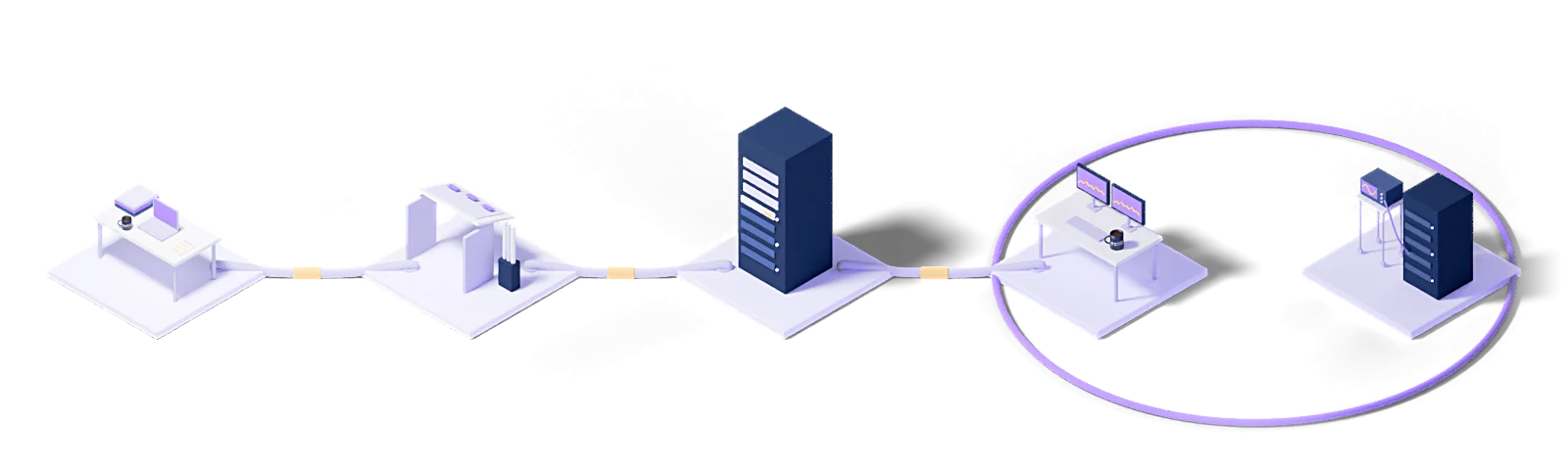
Every engagement follows the same five steps: baseline the current state, design the target model, roll out in stages, operate it, and improve against measurements.
Assess
Baseline the current state, name the gaps and put the success criteria in writing.
Design
Architect the target operating model and the toolchain it needs.
Deploy
Implement, configure and validate in a staged rollout.
Operate
24/7 management with contracted response times and proactive monitoring.
Improve
Continuous improvement driven by metrics, incidents and changes in the business.
Every engagement runs under a written SLA: a commitment, not a best-effort promise.
Dedicated engineers who know your stack. No generalist help-desk tier in between.
Service reviews every two weeks, roadmap updates every quarter.
Who uses this
The industries we run Network & Traffic Engineering for.
The concepts behind this service
- AP controller
- The device or software that manages wireless access points centrally — channel selection, power levels, client roaming and configuration distribution all run from one place.
- Internet gateway
- The point that governs traffic between a network and the internet — where address translation, routing and usually security inspection are applied.
- Load balancer
- The component distributing incoming traffic across several servers.
- NAT
- Network address translation — mapping private network addresses to a public address on the way out to the internet.
- Network
- Devices connected so they can exchange data.
- Network virtualization
- Abstracting physical network resources in software and presenting them as logical networks.
This section explains the technical terms used on this page. The definitions come from Eclit's own technology glossary, and each term links through to its full entry there.
The full technology glossary →Knowledge Hub
What we have written about running and managing technology, collected in one place.
Reliability Friday 10: Why a Firewall Drops Packets at 30% Bandwidth
3 min readWhat Is a LAN? How LAN, WAN and MAN Differ
7 min readWhat Are the OSI Layers? The 7-Layer OSI Model and the TCP/IP Difference
6 min readWhat Is a Router? How It Differs From a Modem and Switch
9 min readWhat Is a Gateway? Difference from a Router and the Types
5 min readWhat Is a Network Switch? Types and Switch vs Router
10 min readWhat Is a VLAN? Virtual LANs, Trunk and Access Ports
9 min readWhat Is DNS and How Does It Work? Servers and Record Types
10 min readWhat Is DHCP and How Does It Assign IP Addresses?
10 min readWhat Is NAT? Network Address Translation, PAT and CGNAT
10 min readWhat Is SD-WAN? What It Does and How It Differs From MPLS
8 min readWhat Is a Load Balancer and How Does It Work?
8 min readReliability Friday 09: How Load Balancer Retries Multiply Backend Traffic
3 min readEveryone Runs Prometheus: So Why Do We Still Hear About Incidents Late?
4 min readDoes Türkiye's Cybersecurity Law Apply to You? The 15 Critical Infrastructure Sectors
5 min readDisaster Recovery Strategy for Enterprises: Zerto, Veeam and the RPO/RTO Decision
7 min readWhat Is a Proxy Server? Forward vs Reverse Proxy
8 min readWhat Is a VPN and How Does It Work? Enterprise VPN vs ZTNA
10 min readWhat Is an Intranet? Difference from Internet and Extranet, How to Build One
6 min readWhat Is a Firewall? Types, NGFW and DMZ Explained
9 min readWhat Is a CDN? How a Content Delivery Network Works
10 min readWhat Is an SSL Certificate? SSL vs TLS vs HTTPS
11 min readWhat Is a VPC (Virtual Private Cloud)? Subnets and Security
11 min readWhat Is Edge Computing? Architecture and Use Cases
10 min read01Which vendors' equipment do you manage?
Cisco, Fortinet, Palo Alto, Juniper, HPE/Aruba and F5. Mixed estates are normal; we do not require consolidation onto one vendor and work with the inventory you have.
02How do you find the source of a slowdown on the network?
We read flow data, interface counters and latency measurements together. That is how we tell bandwidth saturation, packet errors, bad routing and application-side problems apart, and a good share of incidents blamed on the network turn out not to be network problems at all.
03How are configuration changes made?
We open a change record, write up the impact and rollback plan, get approval and apply the change in a maintenance window. Every device configuration is versioned, so returning to the previous state takes a single step.
04Do you run SD-WAN migrations?
Yes, including circuit inventory, application priority policy, phased site enablement and decommissioning of the old links. The migration runs site by site, not all at once.
05Who applies firmware updates to network devices?
We do. We monitor vendor security advisories, identify the affected devices and prove each update at a test site before rolling it out in a maintenance window. The report always shows the upgrade calendar and end-of-support dates.
Let's work out where to start
Within two weeks you get it in writing: what works, what carries risk, and a prioritized roadmap.
Request a conversation