Cloud-Native Platforms (Kubernetes, Containers)
Kubernetes and container platforms built, operated and kept current. Running a container is easy; keeping its upgrades, networking, storage and security healthy for three years is a different job.
What we deliver
Node pools are separated by workload profile: CPU-bound, memory-bound and GPU workloads should not compete in one pool. Resource requests and limits are defined from the start.
Kubernetes ships three minor releases a year and supports each for roughly twelve months. If upgrades are not planned around that cadence, the cluster ends up on an unsupported version. Upgrading is continuous work, not a project.
CNI selection, network policies and, where warranted, a service mesh. Default Kubernetes networking lets every pod reach every pod; network policy reduces that to what the business actually needs.
Containers are ephemeral; data is not. CSI drivers, storage classes and a separate backup strategy for stateful workloads.
Image scanning, signature verification, pod security standards and secrets management. Vulnerabilities usually come from an old layer of the base image rather than the application itself.
Finding which pod slowed a request needs metrics, logs and traces together. Building all three in later costs considerably more than building them in at the start.
How it works
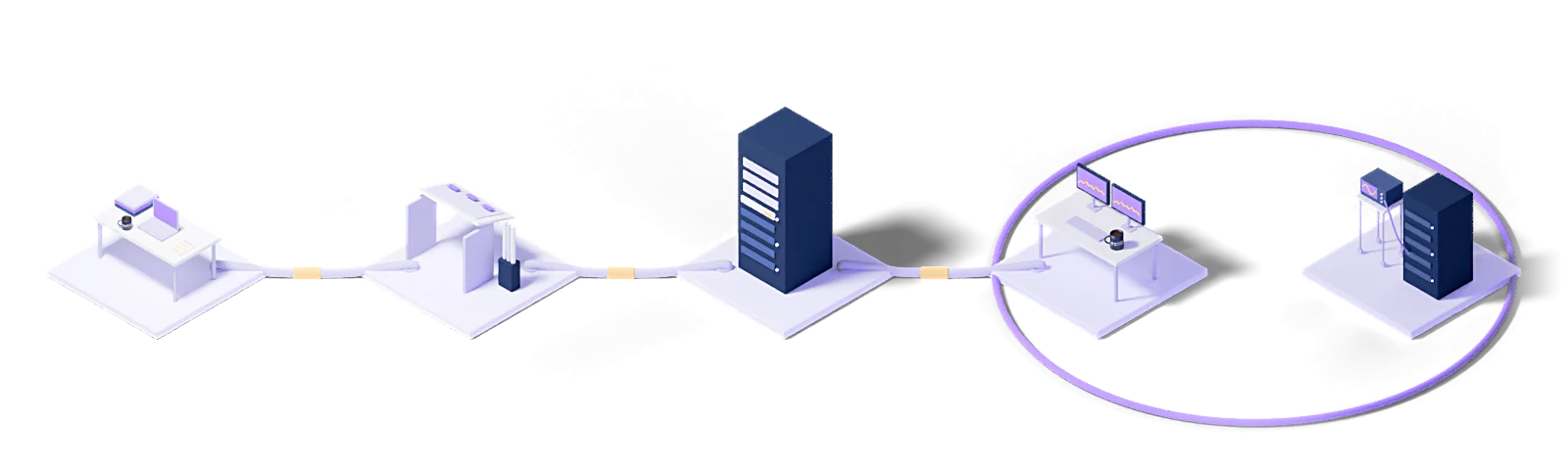
Every engagement follows the same five steps: baseline the current state, design the target model, roll out in stages, operate it, and improve against measurements.
Assess
Baseline the current state, name the gaps and put the success criteria in writing.
Design
Architect the target operating model and the toolchain it needs.
Deploy
Implement, configure and validate in a staged rollout.
Operate
24/7 management with contracted response times and proactive monitoring.
Improve
Continuous improvement driven by metrics, incidents and changes in the business.
Every engagement runs under a written SLA: a commitment, not a best-effort promise.
Dedicated engineers who know your stack. No generalist help-desk tier in between.
Service reviews every two weeks, roadmap updates every quarter.
Who uses this
The industries we run Cloud-Native Platforms (Kubernetes, Containers) for.
The technologies we run this on
The concepts behind this service
- Container
- A lightweight unit of isolation that packages an application with its dependencies and shares the host kernel.
- Kubernetes
- The open-source platform that deploys, scales and manages containerized applications.
This section explains the technical terms used on this page. The definitions come from Eclit's own technology glossary, and each term links through to its full entry there.
The full technology glossary →Knowledge Hub
What we have written about running and managing technology, collected in one place.
What Is Docker? Containers vs Virtual Machines
7 min readWhat Is Kubernetes? Pods, Nodes and Clusters Explained
9 min readReliability Friday 02: How to Verify Kubernetes Readiness Probes
3 min readWhy Everyone Wants Sovereign AI but Only 29% Are Building It
3 min readEveryone Uses Terraform, but Who Is Catching the Drift?
3 min readVMware Licensing Changed: Should We Move to Proxmox?
5 min readPlatform Engineering in 2026: Did the 80% Prediction Come True?
7 min readWhat Is MLOps? Running Machine Learning Models in Production
9 min read01Is Kubernetes overkill at our scale?
It can be, and asking this at the start is far cheaper than reversing later.
Kubernetes pays off for teams with many services and frequent releases: it solves automatic restarts, rolling deployment, horizontal scaling and resource sharing in one model. If you do not have those problems, the solution brings no gain.
The concrete threshold: in an organization with three applications, a monthly release and predictable traffic, the operating load Kubernetes brings (cluster upgrades, the network plugin, the storage driver, the authorization model, the observability stack) is larger than the problem it solves. The same workload runs with less maintenance on a managed container service, or even on well-configured virtual machines.
We do this assessment before the work starts, because "let's move to Kubernetes" is an expensive decision to undo.
02Managed Kubernetes or our own cluster?
Running the control plane yourself has to buy you something; otherwise the managed service wins.
Three reasons justify your own cluster: a regulation that requires data to sit in a specific facility, a network topology the managed service does not support, or a setup that needs customization at the API server level. If one of those applies, your own cluster is the right call.
If none does, the managed service takes on upgrading, patching and making the control plane redundant, and that load is not small. Kubernetes ships three minor releases a year and each is supported for roughly fourteen months, so putting off an upgrade does not remove the work; it only postpones it.
In practice the answer for most organizations is mixed: production on the managed service, and the one workload with a special requirement on its own cluster.
03How do you secure containers?
Containers are not secure by default. A cluster installed with default settings is a broad attack surface.
Five layers work together. Image scanning: the base images in use are scanned continuously for known vulnerabilities, because an image that is clean today can have one tomorrow. Signature verification: only images from a known source reach the cluster. Least privilege: containers not running as root, read-only file systems, unnecessary capabilities dropped. Network policy: pod-to-pod traffic closed by default and open only on defined paths. Runtime monitoring: catching behavior like unexpected process launches or file access.
If one of the five is missing, the others compensate to a degree, but if the first three are missing the rest produce noise rather than protection.
04Should we containerize our existing applications?
Not all of them, and trying to is the most common reason these migrations fail.
A good candidate has three traits: it holds no state (sessions and data live outside), it scales horizontally (a second copy causes no trouble), and it changes often (easier deployment pays off).
A poor candidate is just as clear: legacy applications that write to local disk, depend on a single server's IP or license key, or run long batch jobs. Containerizing them is possible, but the result creates more complexity than it removes: persistent volumes, node affinity rules, custom startup ordering.
The right order is usually: newly built services first, then existing services with a scaling problem, and the legacy core application last, or never.
05Who performs cluster upgrades?
We do, and there is a reason this is written as a separate line item.
Kubernetes has a fast release cycle and a narrow support window. When upgrades are not planned, the cluster ends up on an unsupported version within months; from that point security patches stop arriving and the only way out is a risky upgrade that jumps several versions at once.
An upgrade involves more than bumping a version number: every release removes APIs, and if your application uses one of them it will not start afterward. The order is therefore: scan for deprecated APIs, upgrade the test cluster, verify the applications, then production.
The production upgrade runs node by node, so there is no service outage, but that only holds if the applications run more than one replica.
06Will containers lower our costs?
Not directly, and a proposal that promises this up front deserves a careful read.
Containers on their own do not lower hardware cost. What lowers it is running workloads at higher density on the same physical resources: dozens of containers on a node instead of one application per virtual machine. That gain only materializes if your workloads have complementary resource profiles.
Offsetting it are new costs: the registry, the observability stack, the control plane, and above all the team's learning time. Total cost usually rises in the first year and falls afterward.
The real gain is speed: deployment time drops from hours to minutes, and rollback actually works. The decision should rest on how much those two are worth to you.
07What happens if the cluster fails?
The better question is: which part of the cluster fails?
If a node goes down, the pods on it restart on other nodes, and if the application runs more than one replica the user never sees it. Handling this is what Kubernetes is built for.
If the control plane goes down, running applications keep running, but you cannot deploy, scaling does not work, and a failed pod is not restarted. The system is up but blind. This is why the control plane is always made redundant.
If the whole cluster is lost (a data-center-level event), disaster recovery takes over. Kubernetes does not solve that scenario by itself; the cluster configuration has to be stored as code and be rebuildable in a second region.
08Where does our data live in a container?
Not in the container's own file system, and that distinction is critical.
A container is ephemeral by definition: delete and recreate it and everything inside is gone. Persistent data therefore lives outside: on a persistent volume, in a database service, or in object storage.
There are three approaches in practice. Running the database outside the cluster as a managed service is the most common and holds the fewest surprises. Running it inside the cluster with an operator is possible and sometimes right, but hands backup and upgrade responsibility back to you. The third is to move state out entirely: files in object storage, sessions in a cache.
Whichever is chosen, backup means backing up the data, not the cluster; a cluster can be rebuilt, data cannot.
09Does our team need to know Kubernetes?
The people building the application do not; the people running the infrastructure do. Getting that split right is what makes the migration work.
On the developer side the goal is for the cluster to be invisible: write code, the pipeline runs, the application comes up. If developers have to write YAML, define network policies or calculate resource limits, the platform has not been built far enough.
On the operations side real expertise is required, and that expertise is expensive. Most organizations make a choice here: either build and retain that team, or hand the operation over.
Even if you hand it over, it pays to keep one person in-house: someone who understands the reasoning behind decisions and can question advice coming from outside.
Let's work out where to start
Within two weeks you get it in writing: what works, what carries risk, and a prioritized roadmap.
Request a conversation