What Is a LAN? How LAN, WAN and MAN Differ
A LAN is the local network that connects devices within a building or campus. We explain its components, VLAN segmentation and enterprise LAN security.
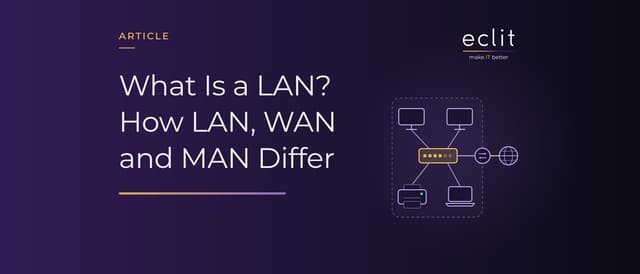
Short answer: A LAN (local area network) is a network that connects computers, printers, phones and servers within a limited area such as a home, office, building or campus. Wired connections use Ethernet (IEEE 802.3) and wireless connections use Wi-Fi (IEEE 802.11); the LAN reaches the internet through a router. A WAN (wide area network) links LANs that are far apart, and a MAN (metropolitan area network) sits between the two at city scale. In an enterprise LAN, the real work is dividing the network into segments with VLANs and controlling who can reach what.
What is a LAN?
The US National Institute of Standards and Technology (NIST) defines a LAN as a group of computers and other devices spread over a relatively limited area and connected by a communications link that lets any device interact with any other on the network.
The number of devices does not define a LAN. According to Cisco, a LAN can be anything from a home network with one user to an enterprise network with thousands of users in an office or school. The same source notes that LANs spread after Ethernet was developed at Xerox PARC in 1973, commercialized in 1980 and standardized in 1983.
LAN components
The basic building blocks of a LAN are:
- Switch: Connects the devices on the same network and forwards data frames between them. Switches form the backbone of an enterprise LAN.
- Router: Forwards traffic between networks. The point where a LAN meets the internet is usually a router.
- Access point: Connects wireless devices to the wired network. Large numbers of access points can be managed centrally through an AP controller.
- Cabling: Wired links between devices run over twisted-pair copper or fiber optic cable.
In a home network these parts are often combined in a single modem-router. In an enterprise network each is a separate device, and a firewall sits at the internet edge, inspecting traffic against rules.
Ethernet and Wi-Fi: wired and wireless LANs
The wired LAN standard is IEEE 802.3. Its 2022 edition specifies Ethernet at speeds from 1 Mb/s to 400 Gb/s over coaxial, twisted-pair and fiber optic cable, and the 802.3df amendment published in March 2024 added 800 Gb/s. The standard also covers delivering power over twisted-pair cabling, so devices such as access points can draw their power from the data cable (Power over Ethernet, PoE).
The wireless LAN (WLAN) standard is IEEE 802.11. Products go by the generation names used in Wi-Fi Alliance certification programs, such as Wi-Fi 6 and Wi-Fi 7; according to Cisco, Wi-Fi 7 is officially IEEE 802.11be. The Wi-Fi Alliance says Wi-Fi 7, introduced in 2024, improves performance across the 2.4 GHz, 5 GHz and 6 GHz bands. Wireless does not replace the wired network: access points connect to switches by cable.
The physical port an Ethernet cable plugs into is not the same thing as a TCP/UDP port; we explain the difference in our port article.
VLANs (IEEE 802.1Q) and segmentation
As Cloudflare explains, a VLAN (virtual LAN) splits traffic on the same physical network into separate networks, in software rather than in hardware. The standard is IEEE 802.1Q. According to Cisco, 802.1Q inserts a 4-byte tag into the Ethernet frame; the VLAN identifier in the tag is a 12-bit field, and the standard supports up to 4,096 VLANs.
Segmentation means planning that division for security. In a typical design, users, servers, IP phones, cameras, the guest wireless network and the management interfaces of network devices each get their own VLAN. Traffic between VLANs passes through a router or firewall, where rules decide which segment can reach which. A phone on the guest network cannot reach the servers, and an incident that starts in one segment finds it harder to spread across the whole network.
LAN vs WAN vs MAN
What separates the three is the area the network covers:
- LAN (local area network): A network contained within a small geographic area, usually a single building.
- MAN (metropolitan area network): In Cloudflare's definition, a network connecting computers across a metropolitan area, which can be a single large city, several cities and towns, or any large area with multiple buildings. It is bigger than a LAN and smaller than a WAN.
- WAN (wide area network): Made up of connected LANs and not restricted to a given area. According to Cisco, the internet, a network of networks, is the world's largest WAN.
Take a company with headquarters in Istanbul and a branch in Ankara: each site has its own LAN, and the link between them is a WAN connection. Because branch users reach applications at headquarters over that link, its capacity and latency directly shape how those applications perform at the branch.
Security in the enterprise LAN
The old approach treated the LAN as "inside": the firewall guarded against the outside world, and devices inside were trusted. NIST's SP 800-207 (August 2020) describes the zero trust architecture that replaces it by shifting defenses from network perimeters to users, assets and resources. Zero trust assumes no implicit trust is granted to assets or user accounts based solely on their physical or network location, so being on the local network counts for no more than being on the internet. In short, being connected to the LAN does not by itself grant access to anything.
In practice, enterprise LAN security is built in three layers:
- Segmentation: The network is divided with VLANs, and traffic between segments is restricted by firewall rules.
- Network access control: With IEEE 802.1X, a device must be authenticated and authorized before it can communicate through a LAN port. Unused switch ports are shut down.
- Monitoring: Which device joined the network and when, and what traffic flows between segments, is logged. A device missing from the inventory can be the first sign of an attack.
We cover these layers together in our network security service.
Connecting the LAN to the internet and to branches
Devices on a LAN usually use private IP addresses. RFC 1918 (February 1996) defines the three blocks IANA reserved for private networks: 10.0.0.0/8, 172.16.0.0/12 and 192.168.0.0/16. When devices go out to the internet, the router or firewall translates these into a public address using NAT. Organizations can also send web traffic through a proxy to filter it, as we explain in our proxy article.
For an organization with branches, connecting the branch LANs is a WAN design job. Cisco defines SD-WAN as an approach for making WAN architectures easier to deploy, operate and manage; we explain how it works in our SD-WAN article. LAN and WAN design both fall under our network and traffic engineering service.
Frequently asked questions
What does LAN mean? LAN stands for local area network: a network that connects devices within a limited area such as a home, office or building.
Is a LAN the same as Wi-Fi? No. The LAN is the network itself, and Wi-Fi is one way of joining it without a cable. A LAN can be wired, wireless or a mix of both.
What is the LAN port on a router for? It is where local devices such as computers, printers or switches plug in by cable. The port labeled WAN or Internet connects the device to the internet line.
What is a LAN cable? "LAN cable" is the everyday name for the Ethernet cable that connects devices to a switch or modem. The Ethernet standard defines twisted-pair copper and fiber optic cable for these links.
What is the difference between a LAN and a WAN? A LAN connects devices within a limited area. A WAN links LANs that are far apart; the internet itself is a WAN.
What is a VLAN? A way of dividing one physical network into separate logical networks, defined by the IEEE 802.1Q standard.
Sources
- NIST, CSRC Glossary: local area network: definition of a LAN
- Cisco, What Is a LAN?: LAN size range and the history of Ethernet
- IEEE 802.3-2022, Standard for Ethernet: speeds, cable types and power over cabling (July 2022)
- IEEE 802.3df-2024: 800 Gb/s Ethernet (March 2024)
- IEEE 802.11: the wireless LAN standard
- Cisco, What Is Wi-Fi 7?: Wi-Fi 7 and IEEE 802.11be
- Wi-Fi Alliance, Wi-Fi CERTIFIED 7: Wi-Fi 7's introduction year and bands
- Cloudflare Learning, What is a LAN?: LAN and VLAN definitions
- IEEE 802.1Q-2022: the VLAN standard (December 2022)
- Cisco, IEEE 802.1Q Frame Format: the 802.1Q tag and VLAN identifier
- Cloudflare Learning, What is a MAN?: definition of a MAN
- Cisco, What Is a WAN?: WAN and SD-WAN definitions
- NIST, SP 800-207 Zero Trust Architecture: zero trust principles (August 2020)
- IEEE 802.1X-2020: port-based network access control (February 2020)
- IETF, RFC 1918: private IP address blocks (February 1996)
- How we run this layer: network and traffic engineering