What Is a CDN? How a Content Delivery Network Works
We explain how edge servers and caching work, Cache-Control rules, purging, a CDN's role in security, outage risk and how to choose a provider.
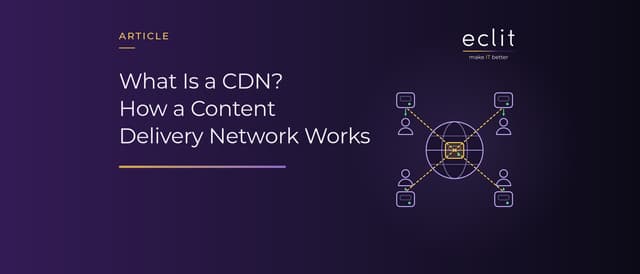
Short answer: A CDN (content delivery network) is a geographically distributed network of servers that caches a site's content on edge servers close to users and serves it from there. Users are routed to a nearby edge server through DNS or anycast; content in the cache is served from there, and anything else is fetched from the origin server. This cuts latency and the load on the origin, and attack traffic is absorbed before it reaches the origin. How long content stays in the cache is governed by HTTP's Cache-Control rules.
What is a CDN?
The IETF's RFC 6707 (September 2012) defines a CDN as network infrastructure in which the network elements cooperate at layers 4 through 7 to deliver content to users more effectively. According to the document, a CDN typically consists of a request routing system that directs users to a suitable server, a distribution system that includes caching surrogates, a logging system and a control system. As Cloudflare points out, a CDN does not host content and cannot replace web hosting: the master copy stays on the web server. There is a short definition in our glossary.
How does a CDN work?
The flow described in AWS's CloudFront documentation shows the typical process:
- A user requests an object, such as an image or an HTML page.
- DNS routes the request to the edge location (PoP) that can best serve it, typically the nearest one in terms of latency.
- If the object is in the PoP's cache, it is returned from there (a cache hit).
- If not (a cache miss), the PoP forwards the request to the origin and, while passing the response on to the user, adds the object to its cache.
CloudFront also places larger regional edge caches between the PoPs and the origin; because the PoPs in a region share a cache, fewer repeat requests reach the origin. The measure of success is the cache hit ratio: hits divided by all requests. According to Cloudflare, a site made up mostly of static content can have a ratio in the 95-99% range. At 95%, 5 out of every 100 requests miss the cache and go to an upper tier or the origin.
Caching rules: Cache-Control and TTL
RFC 9111 (June 2022), the HTTP caching standard, calls a cache that stores responses for reuse by more than one user a shared cache; a CDN cache is one, while a browser cache is dedicated to a single user. The origin sets how long a response stays fresh, its TTL, with the Cache-Control header:
- max-age: The response becomes stale after the given number of seconds.
- s-maxage: Applies only to shared caches, so the CDN can get a different lifetime from the browser.
- private: A shared cache must not store the response.
- no-store: No cache may store any part of the request or the response.
RFC 9213 (June 2022) defined the CDN-Cache-Control header, which targets CDN caches only: the origin can, for example, give the CDN 600 seconds and the browser 60. If the origin sets no lifetime, the provider's default applies, and defaults differ: 24 hours on CloudFront when no cache policy is used, and 1 hour on Google Cloud CDN.
How do users reach the nearest server?
Two ways of routing users to an edge server are:
- DNS-based routing: DNS sends the request to a suitable PoP. According to AWS, to use your own domain name with CloudFront you create a CNAME record that routes it to your distribution's domain name and attach a valid TLS certificate that covers it. We cover record types in our DNS article.
- Anycast: As Cloudflare explains, requests arriving at a single IP address can be routed to different locations, typically to the data center closest to the requester. Because traffic finds the best path, an entire data center can be taken offline and requests flow to a nearby one.
Static and dynamic content
Google Cloud CDN's default mode (CACHE_ALL_STATIC) caches static types such as CSS, JavaScript, fonts, images, video and PDFs even when the origin sends no caching headers. HTML and JSON are not cached by default, because such responses are typically dynamic and per-user; responses with a Set-Cookie header, or marked private or no-store, are not cached either. Google's warning about the mode that caches everything unconditionally is clear: it may not be appropriate for a backend that serves private, per-user content. A personal page that ends up in a shared cache can be served to other users who request the same address. On CloudFront, dynamic requests skip the regional edge caches and go straight to the origin.
Purging and versioning
When content changes, the old copy has to be removed before it expires; this is called purging, or invalidation on CloudFront. According to AWS, an invalidated file is fetched again from the origin on the next request. But a purge only clears the CDN: a copy held in the user's browser or a corporate proxy can keep showing the old version until it expires. That is why AWS recommends versioning for frequently updated files: a versioned name, such as image_2.jpg in place of image_1.jpg, controls which file each request gets and makes rolling back easier.
CDNs and security: TLS, WAF, DDoS and the origin
According to Cloudflare, a CDN can also improve security through DDoS mitigation and improvements to security certificates. Four points stand out:
- TLS: HTTPS traffic is decrypted at the edge server (SSL article). The connection from the CDN to the origin has to be encrypted too: in Cloudflare's Flexible mode, traffic between the user and the CDN is encrypted but traffic between the CDN and the origin is not; Full mode does not validate the origin's certificate, while Full (strict) does.
- WAF and bot management: Because the request is decrypted at the edge, WAF rules can run there as well (WAF article).
- DDoS: Volumetric attacks are absorbed across the distributed network before they reach the origin; we cover the layers of defense in our DDoS article.
- Protecting the origin: If an attacker bypasses the CDN and goes straight to the origin, none of these layers apply. AWS recommends having the origin's load balancer accept only requests that carry a custom header added by the CDN, and limiting its security group to the CDN's address list.
We handle the network side in our network protection service and the application side in our application security (WAF) service.
When edge servers are abroad: personal data
On a CDN, requests pass through edge servers where TLS is terminated and logs are kept. CloudFront's standard logs, for example, record the requester's IP address, the User-Agent and, if cookie logging is enabled, cookies; each line also shows the edge location that served the request. If edge servers and logs are abroad, the question of where the data is processed comes up. Some providers let you restrict this: with Cloudflare's Regional Services, traffic can enter at any data center, but TLS termination and application-layer processing such as caching and the WAF happen only inside the selected region. We discuss the legal framework under the KVKK (Türkiye's personal data protection law) in our article on transfers abroad.
CDN outages and choosing a CDN
Because the CDN sits in front of the site, its failure is the site's failure, even when the origin is healthy. According to Fastly's incident summary, a software deployment that began on May 12, 2021 introduced a bug that a specific customer configuration could trigger. On June 8, a customer pushed a valid configuration change that triggered it, and 85% of Fastly's network returned errors; Fastly detected the disruption within one minute, and within 49 minutes 95% of the network was operating normally. We covered Cloudflare's November 18, 2025 outage in our article on third-party outages. The platform itself can also go away: Microsoft announced that the Edgio platform would end service on January 15, 2025, and Azure CDN from Edgio customers had to migrate their workloads before that date. These questions help when choosing a provider:
- Proximity: Are there PoPs near your users? Measure latency and TTFB from where your users actually are.
- Caching: Does it honor Cache-Control and CDN-Cache-Control, and how long does a purge take?
- TLS and security: Can the origin connection be encrypted with certificate validation? Do the WAF, bot management and DDoS protection sit in the same layer?
- Data: In which countries is TLS terminated, and where are the logs kept?
- Exit plan: Can you shift traffic to a second CDN or to the origin during an outage? If the origin only accepts traffic from the CDN, prepare that path in advance.
We handle the design of this layer in our network & traffic engineering service.
Frequently asked questions
What does CDN stand for? Content delivery network: a geographically distributed network of servers that delivers content from locations close to users.
What does a CDN do? It makes pages load faster, reduces the load and bandwidth costs on the origin server, and absorbs attack traffic before it reaches the origin.
What is the difference between a CDN and web hosting? Hosting holds the master copy of a site. A CDN caches copies of that content on edge servers; it does not replace hosting.
What is TTL in a CDN? The time an object is considered fresh in the cache. The origin sets it with the Cache-Control header; if it doesn't, the provider's default applies.
How do you clear a CDN cache? You ask the provider for a purge (an invalidation on CloudFront), and the file is fetched again from the origin on the next request. For files that change often, versioned file names are more reliable because old copies in browsers don't get in the way.
Sources
- IETF, RFC 6707 Content Distribution Network Interconnection (CDNI) Problem Statement: definition and components of a CDN (September 2012)
- Cloudflare Learning, What is a CDN?: definition, relationship to hosting and security benefits
- AWS, How CloudFront delivers content: PoP selection through DNS, the caching flow, regional edge caches and dynamic requests
- Cloudflare Learning, What is a cache hit ratio?: the hit ratio and typical values for static sites
- IETF, RFC 9111 HTTP Caching: shared caches, freshness and Cache-Control directives (June 2022)
- IETF, RFC 9213 Targeted HTTP Cache Control: the CDN-Cache-Control header (June 2022)
- AWS, Manage how long content stays in the cache (expiration): default TTL when no cache policy is used
- Google Cloud, Caching overview (Cloud CDN): cache modes, static content types, default TTL and responses that are not cached
- AWS, Use custom URLs by adding alternate domain names (CNAMEs): CNAME records and the TLS certificate requirement
- Cloudflare Learning, What is Anycast?: anycast routing
- AWS, Invalidate files to remove content and Update existing content: invalidation, the versioning recommendation and versioned file names
- Cloudflare, Encryption modes: encryption modes for the origin connection
- AWS, Restrict access to Application Load Balancers: allowing access to the origin only through the CDN
- AWS, Standard log file fields: fields in edge logs
- Cloudflare, Regional Services: restricting where TLS is terminated and application-layer processing happens
- Fastly, Summary of June 8 outage: cause, impact and recovery time of the outage (June 8, 2021)
- Microsoft, Azure CDN from Edgio retirement FAQ: planned shutdown of the Edgio platform and the required migration (last updated January 3, 2025)
- How we run this layer: network protection