What Is a Load Balancer and How Does It Work?
A load balancer spreads traffic across servers and takes failed ones out of rotation. We cover Layer 4 vs Layer 7, the algorithms and the retry risk.
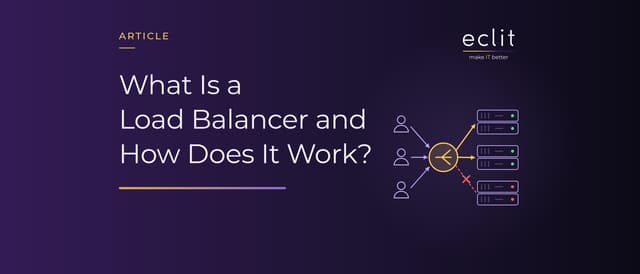
Short answer: A load balancer is the component that distributes the traffic reaching an application across several servers behind it. It decides which server gets each request with an algorithm such as round robin or least connections, keeps probing the servers with health checks and takes any that stop responding out of rotation. That way a single server failure does not reach users as an outage, and capacity grows by adding servers. A Layer 4 load balancer decides based on connection information, a Layer 7 load balancer based on the content of the HTTP request.
What is a load balancer?
Cloudflare defines load balancing as distributing computational workloads between two or more computers. A load balancer is the component that does this: the client thinks it is connecting to the application's address, but the load balancer accepts the connection and forwards the request to one of the servers in the pool behind it.
It has two jobs: capacity and availability. AWS's description of Elastic Load Balancing covers both: it distributes incoming traffic across targets in one or more Availability Zones, monitors the health of those targets and routes traffic only to the healthy ones. You will find a short definition in our glossary.
Layer 4 vs Layer 7 load balancers
The layer determines what the load balancer can see when it makes a decision:
- Layer 4 (transport layer): It looks at IP address, port and protocol, and does not see the content of the request. AWS's Network Load Balancer, which works at layer 4, routes each TCP connection to a single target for the life of the connection. It also carries protocols other than HTTP.
- Layer 7 (application layer): It reads the HTTP request and decides separately for each request. AWS's Application Load Balancer works at this layer and can send requests to different server groups based on the URL path, the host header, HTTP headers or query parameters.
A Layer 7 load balancer is a reverse proxy; as HAProxy's documentation puts it, there are two distinct connections, one on the client side and one on the server side. That is what makes TLS termination and cookie-based session affinity possible. We explain reverse proxies in our proxy article; this layer, where TLS is decrypted, is also where a WAF can operate.
Load balancing algorithms
According to Cloudflare, static algorithms do not take the current state of the system into account, while dynamic ones consider the load and health of each server. The common ones:
- Round robin: Requests go to each server in turn. It is the default method in NGINX and in the AWS Application Load Balancer. A server given a higher weight receives more requests.
- Least connections: The request goes to the server with the fewest active connections. HAProxy suggests this method for long connections and round robin for short ones.
- IP hash and generic hash: The server is calculated from the client's IP address or from a key such as the URL or a cookie. According to NGINX, IP hash sends requests from the same address to the same server as long as that server is available.
Health checks: how does a failed server leave the pool?
A load balancer detects a failed server through health checks. There are two methods:
- Active health checks: The load balancer sends probe requests to each server at set intervals. In AWS ALB the default interval is 30 seconds; a target is marked unhealthy after 2 consecutive failed probes and healthy again after 5 successful ones.
- Passive health checks: The load balancer watches real traffic. In NGINX the default is that a single failed attempt within 10 seconds marks the server unavailable for 10 seconds.
With ALB's defaults, taking a broken target out of traffic can take around a minute (2 × 30 seconds). What the probe measures matters too: a health check that only confirms the home page returns 200 can report an application that cannot reach its database as healthy.
Session persistence
Some applications keep session data in the server's memory. HAProxy's example is the shopping cart: if each click opens a new connection, the user must always be sent to the server holding their cart. Session persistence (sticky sessions) provides that, using IP hash or a cookie.
It has a cost. According to AWS, when the number of targets increases considerably, stickiness can distribute load unequally. When a server fails, the user is moved to a new one, but the session in the old server's memory goes with it. The lasting fix is to move session data out of the server into a shared store, so that any server can handle any request.
High availability and failover
A single load balancer becomes the single point of failure of the system it is meant to protect. In on-premises setups one solution is to run two load balancers as an active-passive pair: VRRP elects which device holds the shared virtual IP address, and if the active device fails, the address moves to the other one. The current definition of VRRP is RFC 9568 from April 2024, and HAProxy's documentation recommends VRRP with keepalived.
Cloud load balancers come as a managed service; AWS ELB distributes traffic across targets in one or more Availability Zones. If all targets sit in a single Availability Zone, though, a failure there stops them all at once. We explain how availability targets are measured in our uptime article.
Hardware, software and cloud load balancers
In Cloudflare's distinction, a hardware load balancer requires a dedicated device, while a software load balancer can run on a server, a virtual machine or in the cloud:
- Hardware: F5 BIG-IP, for example; F5 offers it on its rSeries and VELOS hardware and as a Virtual Edition that runs on a hypervisor or in the cloud.
- Software: NGINX and HAProxy are open-source examples; both can balance TCP traffic as well as HTTP.
- Cloud: AWS offers the Application Load Balancer for Layer 7 and the Network Load Balancer for Layer 4; Azure Load Balancer also operates at layer 4.
How do retries multiply backend load?
A load balancer can retry a failed request on another server. In NGINX this behavior comes with the proxy_next_upstream directive, which by default triggers on errors and timeouts; the default value of proxy_next_upstream_tries, which limits the number of tries, is 0, meaning no limit. Since version 1.9.13, requests with non-idempotent methods such as POST and PATCH are not passed to another server once they have been sent to an upstream server, unless this is explicitly allowed.
A retry that looks reasonable in one layer multiplies when layers stack up. If the client makes 3 attempts and the load balancer tries each of them 3 times, the backend sees 9 attempts for the same request; we walk through the math in our Reliability Friday 09 article. In AWS's example, when each layer of a five-deep call chain retries independently, the load on the database rises 243 times. AWS recommends retrying at a single point in the stack, and not retrying APIs with side effects unless they are idempotent.
We handle load balancer setup and monitoring in our network and traffic engineering service.
Frequently asked questions
What does load balancer mean? A component that distributes the traffic reaching an application across several servers and takes failed servers out of rotation.
What is a load balancer used for? It keeps any single server from being overloaded, takes failed servers out of rotation and lets you grow capacity by adding servers.
What is the difference between a Layer 4 and a Layer 7 load balancer? A Layer 4 load balancer decides per connection, based on IP address, port and protocol. A Layer 7 load balancer reads the HTTP request and can decide separately for each request based on the URL, a header or a cookie.
What is a sticky session? Sending all of a user's requests to the same server for the duration of the session. It is usually done with a cookie or the client's IP address.
Are a load balancer and a reverse proxy the same thing? A Layer 7 load balancer is a kind of reverse proxy, but not every reverse proxy balances load: a reverse proxy can also sit in front of a single server.
Sources
- Cloudflare, What is load balancing?: definition, algorithm types, hardware and software
- HAProxy, Starter Guide 3.4: Layer 4 and 7, algorithms, stickiness, VRRP
- NGINX, HTTP Load Balancing: methods and weights
- NGINX, HTTP Health Checks: active and passive health checks
- nginx.org, ngx_http_proxy_module: proxy_next_upstream
- AWS, What is Elastic Load Balancing?: definition and Availability Zones
- AWS, What is an Application Load Balancer?: Layer 7 routing
- AWS, What is a Network Load Balancer?: Layer 4
- AWS, Health checks for target groups: default values
- AWS, Sticky sessions: cookies and unequal distribution
- AWS Builder Center, Timeouts, retries, and backoff with jitter: the effect of layered retries
- Microsoft, Azure Load Balancer overview: Layer 4
- F5, BIG-IP Local Traffic Manager: hardware and Virtual Edition
- IETF, RFC 9568 VRRP Version 3: virtual IP redundancy (April 2024)
- How we run this layer: network and traffic engineering