What Is DNS and How Does It Work? Servers and Record Types
We explain how a domain name becomes an IP address, how resolvers differ from authoritative servers, the record types, enterprise DNS and DNS security.
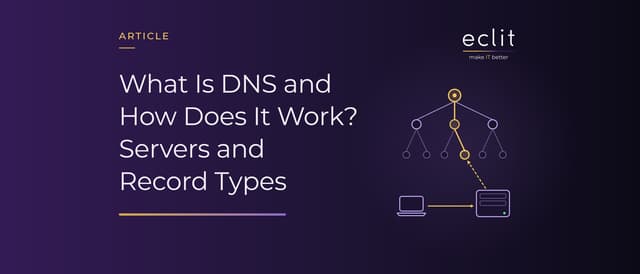
Short answer: DNS (Domain Name System) is a hierarchical, globally distributed naming system that translates domain names such as example.com into IP addresses. If a device cannot find the answer in its cache, it asks a resolver (recursive resolver), which queries the root, the TLD and the authoritative server in turn and keeps the answer for the record's TTL. The record type determines what is stored: A for an IPv4 address, AAAA for IPv6, MX for the mail server. In organizations, Active Directory depends on DNS too. DNSSEC verifies that an answer has not been altered, while DoT and DoH encrypt the query.
What is DNS?
The core definition of DNS lives in RFC 1034 and RFC 1035, both published in November 1987 and both still Internet Standards (STD 13). RFC 1034 divides the system into three components: a tree-structured name space with records (resource records) attached to the names, name servers that hold this information, and resolvers that extract information from name servers in response to client requests.
Microsoft describes DNS as an industry-standard protocol that maps computer names to IP addresses. We explain how a device gets its own IP address in our DHCP article and how a packet finds its way in our router article.
How does DNS work? The path of a query
As Cloudflare explains, a typical query with nothing in the cache follows this path:
- The browser asks the operating system's DNS client (stub resolver), which first checks its own cache.
- If there is no answer, the query goes to the resolver configured on the device. That address is either entered manually or delivered by DHCP (RFC 2132, option 6).
- The resolver asks a root server, which points to the servers of the top-level domain (TLD), such as .com.
- The TLD server points to the domain's authoritative server.
- The authoritative server returns the IP address; the resolver passes it to the browser and caches it.
The device's query is recursive: it expects either the answer or an error message. Root and TLD servers work iteratively instead: when they do not have the name, they refer the resolver to a server responsible for a lower level of the namespace. According to RFC 1035, DNS uses port 53 over both UDP and TCP (see our port article).
Caching and TTL: why DNS changes don't show up right away
According to RFC 1034, the TTL sets how long a record may be kept in a cache before it is discarded. Even after a record changes, resolvers can keep serving the old answer until that time runs out. According to RFC 2308, "no such name" (NXDOMAIN) answers are cached as well, for a period taken from the SOA record.
AWS's Route 53 guidance frames the choice of TTL as a trade-off. A short TTL spreads changes quickly but increases query volume; with a long TTL, answers come from cache more often, which is typically faster and cheaper. For records that rarely change, such as NS and MX, a value between an hour and a day is common; for records used in failover, 60 or 120 seconds. AWS recommends temporarily shortening the TTL before critical changes.
What is a DNS server? Resolvers, root, TLD and authoritative servers
According to Cloudflare, all DNS servers fall into one of four groups:
- Resolver (recursive resolver): The first stop for a query. It asks the other servers on the client's behalf and caches the answer.
- Root server: According to IANA, the root servers are configured in the root zone as 13 named authorities. According to root-servers.org, as of October 13, 2026, 2,047 instances run behind those 13 names, operated by 12 independent operators.
- TLD server: In the definition of RFC 9499, a TLD is a zone one layer below the root, such as "com" or "jp".
- Authoritative server: A server that knows the content of a zone without asking other servers; the last link in the chain.
A secondary copy of an authoritative server retrieves the zone from the primary through a zone transfer. RFC 2182 (BCP 16) points out that at least two servers are required for every zone and calls for secondaries to be placed at topologically and geographically dispersed locations.
DNS record types
The most common types and the RFCs listed for them in IANA's registry:
- A (RFC 1035): The IPv4 address of a name.
- AAAA (RFC 3596): The IPv6 address of a name.
- CNAME (RFC 1035): Maps an alias to the canonical name. According to RFC 1034, no other data should be present at a name that has a CNAME; according to AWS, the zone apex itself cannot be a CNAME.
- MX (RFC 1035): The server that accepts mail for the domain.
- TXT (RFC 1035): Free-form text. According to RFC 7208, SPF is published only as a TXT record; we cover MX, SPF, DKIM and DMARC in our corporate email article.
- NS and SOA (RFC 1035): The zone's authoritative name servers and the start of the zone.
- PTR (RFC 1035): Reverse lookup from an IP address to a name, under in-addr.arpa for IPv4 and ip6.arpa (RFC 3596) for IPv6.
- SRV (RFC 2782): The location of the servers that provide a service for a given protocol and domain.
- CAA (RFC 8659): The certification authorities allowed to issue certificates for the domain (see our SSL article).
DNS in the enterprise: internal and external DNS, Active Directory
On an enterprise network, the same domain can look different from the inside and the outside. According to RFC 9499, in split DNS (split-horizon), authoritative servers give partly or completely different answers depending on where the query comes from. In Microsoft's example, internal users reach a careers site at an internal IP address, while users on the internet reach it at a public one.
According to Microsoft, DNS is essential for Active Directory Domain Services (AD DS): a client signing in finds a domain controller by querying DNS. According to the DC locator documentation, domain controllers register SRV records in DNS, and starting with Windows Server 2025, NetBIOS-based discovery is blocked by default. We cover internal and external DNS design in our network and traffic engineering service and the operation of DNS servers in our infrastructure management service.
DNS security: cache poisoning, DNSSEC, DoT and DoH
In Cloudflare's definition, cache poisoning (DNS spoofing) is entering false information into a DNS cache. RFC 5452 (January 2009) explains that a forged answer has to match the question, the 16-bit ID field, the address and the port, and that a caching server keeps repeating forged data once it has accepted it. That is why the RFC requires resolvers to use an unpredictable source port.
DNSSEC (RFCs 4033-4035, March 2005) uses signatures to verify that an answer came from the zone's owner and was not altered in transit. According to RFC 4033, it provides no confidentiality and no protection against denial-of-service attacks. Encryption is the job of two separate protocols: DoT (RFC 7858, May 2016) carries queries between the device and the resolver over TLS on port 853, while DoH (RFC 8484, October 2018) carries them over HTTPS. According to Cloudflare, network administrators can monitor and block DoT, but DoH, which uses port 443, disappears into regular HTTPS traffic. According to the NSA, browsers can use encrypted DNS to bypass an enterprise's DNS-based defenses; its January 2021 recommendation is to send enterprise DNS traffic only to the designated enterprise resolver and to block all others.
DNS risks: compromised accounts, DDoS and outages
Whoever controls an account that can change DNS records decides where traffic goes. According to CISA's guidance, derived from Emergency Directive 19-01, an attacker who compromises such an account can replace a service's legitimate address with one they control, obtain valid certificates for the domain and decrypt the redirected traffic. CISA recommends auditing DNS records, changing the passwords of these accounts, enforcing MFA on them and monitoring Certificate Transparency logs. We explain how open resolvers are abused as reflectors in DDoS attacks in our DDoS article, and we cover this layer in our network protection service.
A broken DNS record alone can stop people from reaching the service behind it. According to AWS's official summary, at 11:48 PM PDT on October 19, 2025, a latent race condition in DynamoDB's DNS management system left the DNS record for the regional endpoint in us-east-1 empty. Every system that needed to connect to that endpoint began getting DNS failures. We look at the dependency side in our third-party outage article.
Frequently asked questions
What does DNS stand for? Domain Name System: the system that translates domain names into IP addresses.
What is a DNS server? A server that answers domain name queries. A resolver looks up the answer on the client's behalf; an authoritative server answers from its own knowledge of a domain's records.
What does DNS do? It translates the names people remember into the IP addresses devices use. Where a domain's email goes and how Active Directory finds a domain controller also depend on DNS records.
What is the difference between DNS and DHCP? DNS translates a name into an IP address. DHCP gives a device its IP address and other network settings, including which DNS servers to use.
Sources
- IETF, RFC 1034 Domain Names: Concepts and Facilities: components of DNS, recursive and iterative operation, TTL and the CNAME rule (November 1987, STD 13)
- IETF, RFC 1035 Domain Names: Implementation and Specification: A, NS, CNAME, SOA, PTR, MX and TXT records, in-addr.arpa, port 53 (November 1987, STD 13)
- Microsoft, Domain Name System (DNS) in Windows and Windows Server: definition of DNS and its role in Active Directory (last updated May 15, 2025)
- Cloudflare Learning, What is DNS?: steps of a query, stub resolver, recursive and iterative queries
- IETF, RFC 2132 DHCP Options and BOOTP Vendor Extensions: DNS server option (March 1997)
- IETF, RFC 2308 Negative Caching of DNS Queries: caching of negative answers (March 1998)
- AWS, Best practices for Amazon Route 53 DNS: the TTL trade-off and common values
- Cloudflare Learning, DNS server types: the four types of DNS server
- IANA, Root Servers: the 13 root server names and their operators
- root-servers.org: number of root server instances and operators (October 13, 2026)
- IETF, RFC 9499 DNS Terminology: definitions of TLD, authoritative server, primary and secondary servers and split DNS (March 2024, BCP 219)
- IETF, RFC 2182 Selection and Operation of Secondary DNS Servers: number of servers and dispersal of secondaries (July 1997, BCP 16)
- IANA, Domain Name System (DNS) Parameters: record types and the RFCs that define them (last updated August 28, 2026)
- IETF, RFC 3596 DNS Extensions to Support IP Version 6: AAAA record and ip6.arpa (October 2003)
- AWS, Choosing between alias and non-alias records: no CNAME at the zone apex
- IETF, RFC 7208 Sender Policy Framework (SPF): SPF published as a TXT record (April 2014)
- IETF, RFC 2782 A DNS RR for specifying the location of services (DNS SRV): SRV record (February 2000)
- IETF, RFC 8659 DNS Certification Authority Authorization (CAA) Resource Record: CAA record (November 2019)
- Microsoft, Use DNS Policy for Split-Brain DNS Deployment: two versions of a zone for internal and external users
- Microsoft, Locating Active Directory Domain Controllers: SRV records and the blocking of NetBIOS-based discovery (last updated July 10, 2025)
- Cloudflare Learning, What is DNS cache poisoning?: definition of cache poisoning
- IETF, RFC 5452 Measures for Making DNS More Resilient against Forged Answers: fields a forged answer must match, source port randomization (January 2009)
- IETF, RFC 4033 DNS Security Introduction and Requirements, RFC 4034 and RFC 4035: what DNSSEC does and does not provide (March 2005)
- IETF, RFC 7858 Specification for DNS over TLS: DoT and port 853 (May 2016)
- IETF, RFC 8484 DNS Queries over HTTPS (DoH): DoH (October 2018)
- Cloudflare Learning, DNS over TLS vs. DNS over HTTPS: ports of DoT and DoH and their visibility on the network
- NSA, NSA Recommends How Enterprises Can Securely Adopt Encrypted DNS: recommendations for encrypted DNS in enterprises (January 14, 2021)
- CISA, Mitigate DNS Infrastructure Tampering: compromise of DNS accounts and recommended actions (guidance derived from ED 19-01)
- AWS, Summary of the Amazon DynamoDB Service Disruption in the Northern Virginia (US-EAST-1) Region: cause and impact of the DNS-related outage (October 19-20, 2025)
- How we run this layer: network and traffic engineering