What Is a VLAN? Virtual LANs, Trunk and Access Ports
We explain how VLANs split switch infrastructure into separate broadcast domains, the 802.1Q tag, trunk and access ports, VLAN hopping and VXLAN.
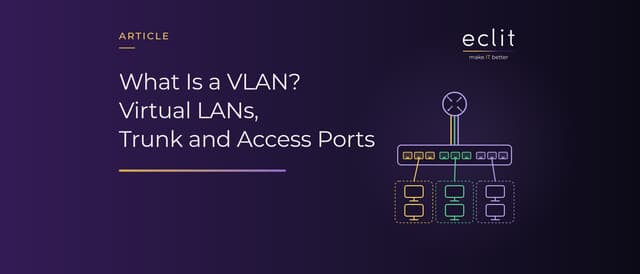
Short answer: A VLAN (virtual LAN) splits the same physical switch infrastructure into separate logical networks; the standard behind it is IEEE 802.1Q. Each VLAN is its own broadcast domain and usually maps to one IP subnet. An access port belongs to a single VLAN, while a trunk port carries several VLANs over one link by adding an 802.1Q tag to each frame. Traffic between VLANs passes through a router or a Layer 3 switch. The 12-bit VLAN ID allows at most 4,094 VLANs; in multi-tenant data centers, VXLAN gets past that limit.
What is a VLAN?
The VLAN standard is IEEE 802.1Q, which covers bridges and bridged networks; its current edition was published in December 2022. In Cisco's definition, a VLAN is a switched network that is logically segmented by function, project team or application, without regard to the physical locations of the users.
We cover where VLANs fit within a LAN, with an example segmentation design, in our LAN article; how switches work is the subject of our switch article. There is a short definition of networks in our glossary.
What is a VLAN used for? Splitting the broadcast domain
According to Cisco, unicast, broadcast and multicast packets are forwarded and flooded only to end stations in the VLAN. RFC 7348 (August 2014) likewise describes broadcast isolation as the key role of VLANs: the 12-bit VLAN ID divides a Layer 2 network into multiple broadcast domains. VLANs serve two other purposes:
- Separating voice and data: On Cisco switches, an access port connected to an IP phone can be configured to use a separate VLAN for voice traffic (a voice VLAN).
- Tying access to identity: According to RFC 3580 (September 2003), the port of a device authenticated with 802.1X can be placed in the VLAN that the RADIUS server specifies.
We cover 802.1X, NAC and the security logic of segmentation in our network security article; there is a short definition in our glossary.
The 802.1Q tag and VLAN ID ranges
According to a Cisco technical note, 802.1Q is the IEEE standard for tagging frames on a trunk. The 4-byte tag marks the frame as tagged with a TPID value of 0x8100 and carries a 3-bit field for IEEE 802.1p priority and a 12-bit VLAN ID (VID), which can take values from 0 to 4095.
Twelve bits give 4,096 values, but not all of them are usable. Cisco's Catalyst guide identifies VLANs by numbers from 1 to 4094, and according to Juniper's documentation, VLAN ID 0 is reserved for tagging the priority of frames. On Cisco switches, VLANs 1 to 1005 form the normal range and 1006 to 4094 the extended range; VLAN 1 is the default VLAN.
Access ports, trunk ports and the native VLAN
- Access port: According to Cisco, a static-access port belongs to one VLAN and is manually assigned to it; end devices connect here.
- Trunk port: According to Cisco, Ethernet trunks carry the traffic of multiple VLANs over a single link and extend VLANs across an entire network. A trunk connects a switch to another switch, a router or a virtualization host, and by default it allows all VLANs from 1 to 4094.
- Native VLAN: Untagged frames on an 802.1Q trunk belong to the native VLAN. On Cisco switches, the native VLAN is VLAN 1 by default, and it must be the same on both ends of the trunk.
On Cisco switches, DTP (Dynamic Trunking Protocol) can negotiate whether a port becomes a trunk: in the default dynamic auto mode, a port becomes a trunk if the neighboring interface is set to trunk or desirable mode. This behavior is one source of VLAN hopping risk.
Routing between VLANs: router-on-a-stick and Layer 3 switches
Communication between VLANs requires a routing device; Cisco describes two approaches:
- Router-on-a-stick: The router connects to the switch over a single trunk, with one subinterface per VLAN, and devices use those subinterface addresses as their default gateways (Cisco). All inter-VLAN traffic travels to the router and back over that one link.
- Layer 3 switch: Routing happens on the switch itself, on a switched virtual interface (SVI) defined for each VLAN; in Cisco's example, each device's default gateway is the IP address of its VLAN interface.
Once routing is enabled, VLANs can reach each other over IP, so keeping them apart takes rules that filter the traffic in between (firewall article). We cover Layer 3 switches in our switch article and how routers differ from switches in our router article.
VLANs, subnets and DHCP relay
A VLAN is defined at Layer 2 and a subnet at Layer 3. According to Cisco, VLANs are often associated with IP subnetworks: all the end stations in a particular IP subnet belong to the same VLAN. For example, VLAN 10 could be the 10.10.10.0/24 subnet for users and VLAN 20 the 10.10.20.0/24 subnet for servers.
According to RFC 2131, a client broadcasts its address request (DHCPDISCOVER) on its local physical subnet. Because that broadcast does not leave the VLAN, a DHCP server in another VLAN needs a relay agent in between to pass the message on to the server's subnet; we explain the details in our DHCP article.
VLAN hopping and how to prevent it
VLAN hopping means getting frames from one VLAN into another without going through a router; a Cisco document notes that the implicit tagging of the native VLAN in 802.1Q can make this possible. It takes two forms:
- Switch spoofing: If a user port is left open to DTP negotiation, the device on the other end can turn it into a trunk; since a trunk is a member of all VLANs by default, that device then reaches the traffic of every VLAN.
- Double tagging: According to Cisco's May 2008 campus design guide, an attacker who knows the native VLAN can craft a frame with two 802.1Q tags: the outer tag is stripped on the native VLAN, and the next switch reads the inner tag and places the frame in the target VLAN. The attack only works in one direction.
The guide and Cisco's Catalyst documentation point to these countermeasures:
- Disable trunking and DTP negotiation on user ports.
- Move the native VLAN to an unused VLAN ID, or tag the native VLAN as well.
- Remove unused VLANs from trunks.
We handle these measures in our network security service.
The scale limit of VLANs and VXLAN in the data center
According to RFC 7348, the 4,094-VLAN ceiling has served many data centers well, but it is often inadequate in multi-tenant cloud environments, and because of spanning tree (STP), some data centers limit the number of VLANs they use even further.
VXLAN (Virtual eXtensible LAN), defined in RFC 7348, is an overlay scheme that carries a Layer 2 network across an IP network by encapsulating Ethernet frames in UDP. Each VXLAN segment is identified by a 24-bit VXLAN Network Identifier (VNI), which allows up to about 16 million segments. IANA has assigned UDP port 4789 to VXLAN. The RFC does not include specific measures against attacks and points to IPsec for authentication and encryption.
NIST's SP 800-125B (March 2016) recommends overlay-based networking for data centers with hundreds of virtualized hosts and thousands of VMs, and asks for VXLAN traffic to be isolated on the physical network with a technique such as VLANs. We cover data centers in our data center article, and there is a short definition of network virtualization in our glossary. This infrastructure falls under our datacenter & infrastructure engineering service.
VLANs vs microsegmentation
A VLAN is a coarse division: devices in the same VLAN reach each other directly. One way to separate them too is a private VLAN, which keeps devices in the same subnet while isolating them at Layer 2 (RFC 5517, February 2010). According to CISA's microsegmentation guidance of July 29, 2025, organizations have traditionally controlled networking with IP address ranges, VLANs, and devices that accept or reject connections based on static rules. Microsegmentation shrinks the segments and bases access rules on attributes beyond IP addresses, with the aim of limiting lateral movement from a compromised device. We cover NIST's description of the concept in our network security article; VLAN design is part of our network & traffic engineering service.
Frequently asked questions
What does VLAN stand for? Virtual LAN: a method of splitting a single physical switch infrastructure into separate logical networks.
What is a VLAN used for? It splits broadcast traffic into segments and separates users, servers and guest networks so that the traffic between them can be controlled with rules.
What is a trunk port? A port that carries the traffic of several VLANs over one link by adding an 802.1Q tag to each frame; it connects switches to each other or to a router.
What is the difference between an access port and a trunk port? An access port belongs to a single VLAN and connects an end device. A trunk port carries multiple VLANs and connects network devices to each other.
What is a native VLAN? The VLAN that untagged frames on an 802.1Q trunk belong to. On Cisco switches it is VLAN 1 by default; moving it to an unused VLAN is recommended.
What is the difference between a VLAN and VXLAN? A VLAN uses a 12-bit ID and allows at most 4,094 networks. VXLAN carries frames across an IP network, and its 24-bit ID allows about 16 million segments.
Sources
- IEEE, 802.1Q-2022 Bridges and Bridged Networks: the VLAN standard (published December 22, 2022)
- Cisco, VLAN Configuration Guide, IOS XE 17.9 (Catalyst 9300): Configuring VLANs: VLAN definition, broadcast traffic, subnets, VLAN ID ranges, access ports and voice VLANs (August 1, 2022)
- Cisco, VLAN Configuration Guide, IOS XE 17.9 (Catalyst 9300): Configuring VLAN Trunks: trunks, the native VLAN and DTP (August 1, 2022)
- Cisco, Inter-Switch Link and IEEE 802.1Q Frame Format: fields of the 802.1Q tag (August 25, 2006)
- Juniper, 802.1Q VLAN IDs and Ethernet Interface Types: reserved VLAN ID 0
- RFC 7348 Virtual eXtensible Local Area Network (VXLAN): broadcast isolation, the 4094-VLAN limit, VNI, UDP port 4789 and security notes (August 2014, Informational, Independent Submission stream)
- IETF, RFC 3580 IEEE 802.1X RADIUS Usage Guidelines: VLAN assignment with 802.1X (September 2003)
- Cisco, Configure Inter VLAN Routing with the Use of an External Router and Configure Inter-VLAN Routing with Catalyst Switches: inter-VLAN routing with subinterfaces and SVIs
- IETF, RFC 2131 Dynamic Host Configuration Protocol: the DHCPDISCOVER broadcast and relay agents (March 1997)
- Cisco, Best Practices for Catalyst 4500/4000, 5500/5000, and 6500/6000 Series Switches Running CatOS: implicit tagging of the native VLAN and frames crossing VLANs without a router
- Cisco, Campus Network for High Availability Design Guide: double tagging and trunk recommendations (May 21, 2008)
- RFC 5517 Cisco Systems' Private VLANs: Layer 2 isolation within a subnet (February 2010, Informational, Independent Submission stream)
- NIST, SP 800-125B Secure Virtual Network Configuration for Virtual Machine (VM) Protection: overlay recommendation for large data centers (March 2016)
- CISA, Microsegmentation in Zero Trust, Part One: Introduction and Planning: traditional segmentation and microsegmentation (July 29, 2025)
- How we run this layer: network & traffic engineering