What Is NAS? Network Attached Storage vs SAN
We explain how NAS shares files over SMB and NFS, how it differs from DAS and SAN, what it is used for, its ransomware risk and how to choose one.
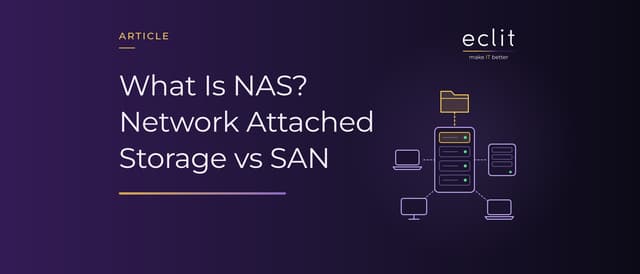
Short answer: NAS (network attached storage) is a storage device that connects to the network and gives clients file-level access: users and servers reach shared folders over SMB or NFS. Inside are disks, RAID to protect them against a disk failure, an operating system that runs the shares, and a network connection. A SAN (storage area network), by contrast, gives servers block-level access; the server formats the volume it receives as if it were its own disk. NAS is used for file sharing, virtualization storage and as a backup target, and NAS devices left exposed to the internet are a known ransomware target.
What is NAS?
SNIA, the storage industry association, defines NAS as a storage device that connects to a network and provides file access services to clients. NIST's storage infrastructure security guide, SP 800-209 (October 2020), classifies networked storage by type of access: NAS provides file-level access across the network, SAN block-level access. According to the guide, file service can come either from a dedicated NAS device or from any host running the NFS server service.
According to SNIA's definition of a filer, the hardware and software of such a device are designed to provide file services. In short, a NAS is a packaged file server (server article). There is a short definition of data storage in our glossary.
How does NAS work? Its components
- Disks: HDDs or SSDs set the capacity and the speed.
- RAID: Combines the disks into a single logical unit and, as Red Hat puts it, helps avoid data loss if a drive fails. We compare the levels in our RAID article; in short, RAID protects against disk failure, not against deleted or encrypted data.
- Operating system: Runs the shares, permissions, snapshots and the management interface. On a Linux-based NAS, the SMB service can come from the open-source Samba project.
- Network: Clients reach the NAS over the local network (LAN article).
SMB and NFS: which protocols does NAS use?
NIST names two protocol families for NAS access:
- SMB (Server Message Block): In Microsoft's definition, a network file sharing protocol that lets applications read, create and update files on a remote server. It also carries layers of protection such as encryption and signing.
- NFS (Network File System): The protocol Sun Microsystems described in RFC 1094 in March 1989 for transparent remote access to shared files across networks; according to Microsoft, it is how files are shared between Windows and non-Windows systems such as Linux and UNIX. NFSv4, defined in RFC 7530 (March 2015), brought file locking and strong security into the protocol; the current definition of NFSv4.1 is RFC 8881 (August 2020).
The first version of SMB, meanwhile, has been retired: according to Microsoft, SMBv2 superseded SMBv1 in 2007, SMBv1 was deprecated in 2014, and it has not been installed by default since Windows 10 and Windows Server, version 1709.
DAS vs NAS vs SAN
- DAS (direct attached storage): According to SNIA, storage locally connected to a server and dedicated to it: the server's own disks or an attached external drive.
- NAS: File-level sharing. The file system lives on the device, and many clients use the same folder at the same time.
- SAN (storage area network): According to SNIA, a network whose primary purpose is moving data between computer systems and storage; the term is usually identified with block services. According to NIST, the logical unit addressed in a SAN is called a LUN.
NIST classifies SANs by their network stack. A Fibre Channel SAN, in the guide's description, uses Fibre Channel's own five-layer protocol stack; servers connect to it through host bus adapters (HBAs) and switches. iSCSI, defined in RFC 7143 (April 2014), carries SCSI over TCP, and NIST counts it as an example of an IP SAN. Because the traffic runs over the IP network, no separate Fibre Channel network is needed (switch article).
The practical difference: a volume from a SAN looks like a raw disk to the server, and the server builds the file system on it. Letting several servers write to the same volume at once takes an extra mechanism, such as Cluster Shared Volumes in Windows Server. On a NAS, sharing is multi-user from the start. We cover object storage in our object storage article and HCI, an architecture without a SAN, in our HCI article.
What is NAS used for?
- File sharing: Team folders, home directories, archives. Storage for end-user data is one of the uses Microsoft lists for SMB.
- Virtualization storage: According to Microsoft's documentation, Hyper-V can keep virtual machine files on SMB 3.0 shares, and NFS shares can serve as persistent storage for VMware, Hyper-V, Kubernetes and Docker (virtual machine article).
- Backup target: Centralized data management and backup is among Microsoft's NFS scenarios. But the NAS should not hold the only copy: NIST SP 800-209 calls for a backup policy that sets the number of copies, their geographic distribution and immutability (DP-SS-R1), and for testing backups of critical data at least monthly (DP-SS-R3). We explain the 3-2-1 rule in our backup article, and we handle running the copies in our backup, replication & recovery service.
Internet-exposed NAS and ransomware
According to NIST SP 800-209, ransomware has evolved to hit storage components such as NAS and backup appliances as well. Vendor announcements point to two ways in:
- Unpatched software: In January 2022, QNAP announced that the DeadBolt ransomware was targeting NAS devices exposed to the internet without protection and encrypting data for a Bitcoin ransom, and it urged users to update the operating system immediately (QSA-22-02).
- Weak passwords: In July 2019, Synology reported that admin credentials had been stolen through brute-force login attacks and data encrypted as a result; the cause was dictionary attacks, not a specific vulnerability.
The countermeasures follow from those two paths:
- Keep it off the internet: QNAP asks users to turn off port forwarding to the NAS management ports on the router, and UPnP port forwarding on the NAS itself (port article). Remote access belongs behind a layer such as a VPN.
- Keep it patched: According to NIST, storage operating systems, like all operating systems, should be kept current with security updates and patches (patch management article).
- Protect the accounts: Synology recommends disabling the default "admin" account, using strong passwords and enabling 2-step verification (MFA article).
- Turn off SMBv1: Microsoft warns that this older protocol has known security issues regarding ransomware and other malware.
- Don't mistake snapshots for backups: According to NIST, snapshots depend on the source data, and an attacker who escalates privileges can compromise snapshots too.
We describe how an attack unfolds in our ransomware article.
Home NAS, enterprise NAS and scale-out NAS
For a home or small-office NAS, the main questions are disk failure and backup. Enterprise file services also have to plan for the failure of the device itself: on a single-controller device, a controller or operating system failure stops every share. In Microsoft's clustered file servers, shares are either online on one node at a time (active-passive) or, with Scale-Out File Server, online on all nodes simultaneously (active-active). Microsoft recommends the first for information worker scenarios and the second for Hyper-V and SQL Server data.
In a scale-out NAS, capacity and performance grow as you add servers. According to NIST, parallel NFS (pNFS) stripes data and metadata across a clustered collection of storage servers and is used for large-scale content repositories. CephFS is a POSIX-compliant file system built on Ceph's distributed object store, RADOS; because clients access RADOS directly, workloads can scale linearly with the underlying storage.
Before choosing, answer these questions:
- With the chosen RAID level, how much usable capacity is there, and how many disk failures can it survive?
- Does authentication integrate with Active Directory, and does management sign-in support 2-step verification?
- How long will the vendor keep shipping security updates?
We handle the design and operation of storage in our storage & data infrastructure service and data protection in our data protection & recovery service.
Frequently asked questions
What does NAS stand for? Network attached storage: a storage device that shares files over the network.
What is NAS used for? It gathers files in one place and shares them; it can also serve as storage for virtual machines and as a target for backup software.
What is the difference between NAS and SAN? NAS shares at the file level, so clients see folders and files. A SAN works at the block level, and the server formats the volume as if it were its own disk.
What is a SAN? A network built to move data between servers and storage devices. It gives servers block access over Fibre Channel or iSCSI.
What is the difference between a NAS and an external hard drive? An external drive connects directly to a single computer. A NAS connects to the network and serves many users at once.
Is a NAS a backup? Not on its own. A single copy that sits in the same place and is reachable with the same admin account does not protect against losing the device or against ransomware.
Sources
- SNIA, Online Dictionary: network attached storage, filer, direct attached storage and storage area network: definitions of NAS, filer, DAS and SAN
- NIST, SP 800-209 Security Guidelines for Storage Infrastructure: DAS, NAS and SAN, Fibre Channel and IP SAN, LUNs, pNFS, snapshots, ransomware, patching storage operating systems, DP-SS-R1 and DP-SS-R3 (October 2020)
- Red Hat, RHEL 9 Managing storage devices: Managing RAID: purpose of RAID
- Samba, What is Samba?: open-source implementation of SMB
- Microsoft, Overview of file sharing using the SMB 3 protocol in Windows Server: SMB definition, layers of protection, Hyper-V over SMB and end-user data
- Microsoft, SMBv1 is not installed by default: deprecation of SMBv1 and the ransomware warning
- IETF, RFC 1094 NFS: Network File System Protocol Specification: first NFS specification (March 1989)
- IETF, RFC 7530 Network File System (NFS) Version 4 Protocol: NFSv4, file locking and strong security (March 2015)
- IETF, RFC 8881 Network File System (NFS) Version 4 Minor Version 1 Protocol: current definition of NFSv4.1 (August 2020)
- Microsoft, Network File System overview: sharing between Windows and non-Windows systems, persistent storage for virtualization and containers, backup scenario
- IETF, RFC 7143 Internet Small Computer System Interface (iSCSI) Protocol (Consolidated): SCSI transport over TCP (April 2014)
- Microsoft, Cluster Shared Volumes overview: simultaneous access to the same LUN from multiple nodes
- QNAP, Take Immediate Actions to Stop Your NAS from Exposing to the Internet: DeadBolt, updates, port forwarding and UPnP (January 26, 2022)
- QNAP, Security Advisory QSA-22-02: DEADBOLT Ransomware: start of the attacks and update recommendation (February 2, 2022)
- Synology, Synology Urges All Users to Take Immediate Action to Protect Data from Ransomware Attack: brute-force attacks and account measures (July 23, 2019)
- Microsoft, Scale-Out File Server for application data overview: general-use vs scale-out file servers
- Ceph, Ceph File System: CephFS architecture and scaling
- How we run this layer: storage & data infrastructure