What Is RAID? RAID 0, 1, 5, 6 and 10 Explained
We explain the capacity and fault tolerance of each RAID level, the risk during a rebuild, hardware vs software RAID and why RAID is not a backup.
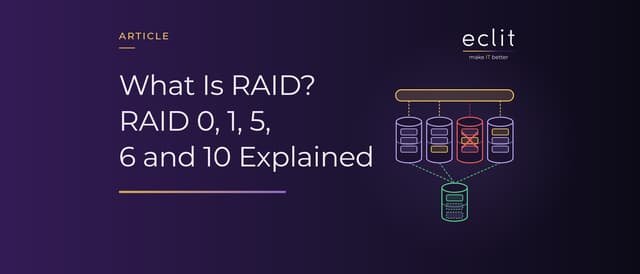
Short answer: RAID (redundant array of independent disks) is a technique that presents several disks as one logical disk and spreads data across them with striping, mirroring or parity. RAID 0 adds speed, but a single disk failure loses data; RAID 1 mirrors data; RAID 5 survives one disk failure and RAID 6 any two; RAID 10 combines mirroring with striping. While a failed disk's data is being rewritten to a new disk (the rebuild), the array is at its most vulnerable. RAID is not a backup: deleted or encrypted data changes on every disk at the same time.
What is RAID, and where did it come from?
In Red Hat's definition, RAID stores data across multiple drives, helps avoid data loss if a drive fails, and appears to the computer as a single logical storage unit.
The term comes from "A Case for Redundant Arrays of Inexpensive Disks (RAID)", the paper David Patterson, Garth Gibson and Randy Katz of UC Berkeley presented at the ACM SIGMOD conference in 1988 (Computer History Museum). The paper's December 1987 technical report version argues that arrays built on disk technology developed for personal computers promise an order-of-magnitude improvement over a single large expensive disk (SLED) in performance, reliability, power consumption and scalability, and it introduces five RAID levels. The "inexpensive" in the acronym later became "independent". We cover RAID's place in server hardware in our server article, and there is a definition of data storage in our glossary.
Striping, mirroring and parity
The levels combine three techniques:
- Striping: Data is split into chunks and written across all the disks in turn; according to Red Hat, this allows high I/O performance at low inherent cost.
- Mirroring: The same data is written to every disk.
- Parity: Correction information is calculated from the data blocks; when a disk is lost, the missing data is regenerated from the remaining blocks and the parity.
When a disk fails, the array goes into degraded mode: according to SNIA, it keeps responding to requests but has lost its redundancy. Redundancy returns once the failed disk's data has been written to a new disk, that is, when the rebuild finishes.
RAID 0, 1, 5, 6 and 10: capacity and fault tolerance
The numbers below are a worked example that assumes four 8 TB disks (two for RAID 1). The capacity rules come from Red Hat, and the fault tolerance figures from the Linux md driver's documentation.
- RAID 0: Striping only; capacity is the sum of the disks, 32 TB. There is no redundancy, so a single disk failure means data loss.
- RAID 1: Mirroring; capacity equals the smallest disk, 8 TB with two 8 TB disks. An N-disk mirror survives N-1 failures.
- RAID 5: Parity is distributed across all disks; capacity is (N-1) × disk, 24 TB. It survives one failure. According to Red Hat, it is the most common type of RAID, and reads substantially outperform writes.
- RAID 6: Dual parity; capacity is (N-2) × disk, 16 TB. It survives the loss of any two disks, but Red Hat notes an increased burden on writes.
- RAID 10: Striping across mirrored disks (RAID 1+0); with two copies, capacity halves to 16 TB. According to md, fault tolerance depends on the configuration: a single failure loses no data, but if a second failure hits the disk holding the other copy of the same block, that data is lost.
Rebuild: the riskiest hours after a failure
Linux's md driver marks a disk that returns a write error as faulty and keeps running on the remaining disks; if a spare is available, it starts rebuilding onto it right away and, in the words of the Linux RAID wiki, does so by "hammering the entire array".
Disk size and load determine how long this takes: with default settings, md aims for 200,000 KiB per second per device, and the goal drops to 1,000 KiB per second when other activity is happening on the array. A worked example: even at the upper goal, rewriting a 20 TB disk end to end takes about 27 hours, and for that whole time RAID 5 cannot survive a second failure.
Treating failures as independent is misleading too. In a FAST '07 study of about 100,000 disks by Bianca Schroeder and Garth Gibson, one of the RAID paper's authors, datasheets implied an annual failure rate of at most 0.88%, while annual replacement rates of 2% to 4% were common in the field and reached 13% on some systems. According to the study, the exponential distribution greatly underestimates the probability of a second failure during reconstruction: in the cluster examined, two drives failing within one hour was four times as likely in the real data, and within 10 hours twice as likely.
According to the md documentation, storage devices can develop bad blocks at any time; regularly reading every block (scrubbing) catches them early. OpenZFS's dRAID layout shortens rebuilds by spreading the work across all disks with distributed spares.
Hardware RAID, software RAID and ZFS RAID-Z
- Hardware RAID: According to Red Hat, a controller manages the array independently of the host; the card looks like a SCSI controller to the operating system.
- Linux: The kernel's md driver implements RAID, and the mdadm tool manages it. According to Red Hat, no expensive controller card is needed, and arrays can move between Linux machines without reconstruction.
- Windows: Storage Spaces groups disks into a pool, from which virtual disks with simple, mirror or parity resiliency are carved out.
A well-known weakness of parity layouts is the write hole: according to the md documentation, an interrupted write can leave parity inconsistent and lead to data loss. On Linux, md offers a journal and, for RAID 5, a partial parity log (PPL) against it. OpenZFS's RAID-Z is a variation on RAID 5 that eliminates the write hole; raidz1, raidz2 and raidz3 survive one, two and three disk failures respectively.
RAID is not a backup
The Linux RAID wiki says it plainly: RAID is not a substitute for decent backups and a proper monitoring regime. Mirroring writes the same data to every disk, and parity is updated with every change. So a file deleted by mistake, or a folder encrypted by ransomware, changes on every disk at once. Losing the device takes all the copies with it.
The answer is a copy on a separate system, preferably an immutable one. We explain the 3-2-1 rule in our backup article, how an attack unfolds in our ransomware article, and RAID in NAS devices in our NAS article. We handle the backup side in our backup, replication & recovery service.
Erasure coding: RAID's counterpart in distributed storage
RAID combines disks inside a single server or controller; if the server goes, the array goes with it. Distributed storage takes the same idea across servers: according to the Ceph documentation, an erasure-coded pool splits each object into K data chunks and M coding chunks, where M is the number of OSDs (storage units) that can be lost at the same time without data loss, and by default the chunks land on different hosts. The K=2, M=2 profile needs 2 TB of raw capacity instead of 3 TB to store 1 TB, with the durability of a three-way replicated pool. The price is performance, especially on HDDs and during recovery. We cover the method in our object storage article and its counterpart in HCI clusters in our HCI article.
Which RAID level should you choose?
Microsoft's recommendations for Storage Spaces translate well to RAID:
- Striping without redundancy (RAID 0): Temporary data, scratch disks and workloads where data protection isn't critical.
- Mirroring (RAID 1, RAID 10): Mission-critical workloads, databases and virtual machine storage.
- Parity (RAID 5, RAID 6): Archives, backup repositories and workloads with mostly sequential reads; calculating parity slows down writes.
According to the Linux RAID wiki, with today's large drives, failures often cascade from one drive to another; instead of adding a spare to RAID 5, the wiki recommends going to RAID 6. We handle planning capacity, disk count and rebuild time together in our datacenter & infrastructure engineering service, and day-to-day operation in our storage & data infrastructure service.
Frequently asked questions
What does RAID stand for? Redundant array of independent disks: a technique that uses several disks as a single logical disk.
What is RAID 5? A RAID level that distributes data and parity across all disks. It survives one disk failure, and the capacity of N-1 out of N disks is usable.
What is the difference between RAID 5 and RAID 6? RAID 6 keeps dual parity and survives the loss of any two disks; RAID 5 survives only one. The cost is one more disk's worth of capacity and a heavier write load.
Is RAID a backup? No. RAID protects against disk failure; deleted, corrupted or encrypted data changes on every disk at the same time.
Software RAID or hardware RAID? Both implement the same levels. In hardware RAID a controller card does the work; software RAID needs no extra card, and on Linux an array can move to another machine.
Sources
- Red Hat, RHEL 9 Managing storage devices: Managing RAID: definition of RAID, capacity rules and performance of the levels, hardware and software RAID
- SNIA, Online Dictionary: degraded mode and rebuild: definitions of degraded mode and rebuild
- Computer History Museum, 1988: U.C. Berkeley paper catalyses interest in RAID: the paper's authors, the 1988 SIGMOD presentation and the change in the acronym
- UC Berkeley EECS, A Case for Redundant Arrays of Inexpensive Disks (RAID), UCB/CSD-87-391: technical report version of the paper and its abstract (December 1987)
- Linux man-pages, md(4): fault tolerance of the levels, rebuild, speed goals, scrubbing, write hole, journal and PPL
- Linux man-pages, mdadm(8): management tool for Linux software RAID
- Linux RAID wiki, What is RAID and why should you want it?: load during a rebuild, failure risk with large drives, the RAID 6 recommendation and why RAID is not a backup
- Microsoft, Storage Spaces overview: pools and virtual disks, simple, mirror and parity resiliency, and recommended uses
- Schroeder and Gibson, Disk Failures in the Real World: What Does an MTTF of 1,000,000 Hours Mean to You? and full text: field replacement rates and the probability of a second failure during reconstruction (USENIX FAST '07, February 2007)
- OpenZFS, RAIDZ and dRAID: RAID-Z levels, the write hole and faster rebuilds with distributed spares
- Ceph, Erasure code and Glossary: K and M chunks, failure domains, capacity comparison, the performance trade-off and the definition of an OSD
- How we run this layer: storage & data infrastructure