What Is a Server? How Servers Work and the Main Types
A server is a computer that provides services to other computers over a network. How it works, and how physical, virtual and cloud servers differ.
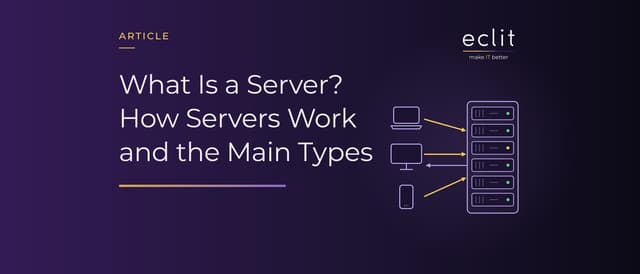
Short answer: A server is a computer that provides services to other computers over a network: it sends web pages, relays email, stores files and answers database queries. The side requesting the service is called the client. A server can be a physical machine, a virtual machine running on a hypervisor, or a cloud server rented from a provider. What makes a computer a server is not its hardware but the role it plays.
What is a server?
The US National Institute of Standards and Technology (NIST) defines a server as a computer or device on a network that manages network resources. Its examples are file servers, print servers, network servers that manage network traffic, and database servers.
The word "server" is used in two senses: the software that provides the service (web server software, for instance) and the machine that software runs on. In everyday use the two blur together, and one machine can run several pieces of server software.
What separates a server from a desktop computer is how it is used. A desktop serves one person; a server serves many clients at once and is set up to run for months without interruption.
How does a server work?
Servers work on the client-server model. The client sends a request, the server processes it and returns a response. When you open a website, your browser is the client and the machine publishing the site is the server. On the web, the rules of this request-response exchange are defined by the HTTP protocol.
Behind the scenes, opening a web page goes like this:
- The browser asks a DNS server which IP address the domain name points to.
- It connects to the server at that address and requests the page.
- The server processes the request: it reads the file, queries the database if needed and checks the user's permissions.
- It sends the response, and the browser displays the page.
Server software listens for incoming requests on a specific port number. The port registry is maintained by IANA: port 80 for HTTP, 443 for HTTPS, 25 for mail transfer (SMTP) and 53 for DNS. The same machine can offer different services on different ports.
Types of server by role
Servers are mostly named after the job they do:
- Web server: Sends web pages and applications to browsers.
- Application server: Runs the business logic, usually behind a web server.
- Database server: Stores data and answers queries.
- File server: Makes shared files available over the network.
- Mail server: Sends, receives and stores email.
- DNS server: Translates domain names into IP addresses.
- Directory server: Holds user accounts and permissions; the most common example is Active Directory.
In a small organization several of these roles can sit on one server. As the organization grows, each role moves to its own server and then spreads across several, so that a single failure does not stop the service.
Physical vs virtual vs cloud servers
Servers also differ in how they run:
- Physical server (bare metal): The operating system runs directly on the hardware and uses all of its capacity. Adding capacity means buying hardware.
- Virtual server: A hypervisor runs on the physical server and divides the hardware among several virtual machines. Each virtual machine has its own operating system and runs isolated from the others. We cover this in our virtual machine article.
- Cloud server: A virtual server created on a provider's infrastructure and paid for by use. It is the best-known example of IaaS; we cover it in our cloud server and IaaS articles.
In a virtualized setup the physical server does not run a single system; it acts as a host carrying many virtual servers.
How does server hardware differ from a desktop?
Server hardware is designed to run continuously and tolerate failure. These features, rare on a desktop, are standard on a server:
- ECC memory: Memory that corrects single-bit errors and detects double-bit errors. On a system that stays up for months, it prevents silent data corruption.
- Redundant power supplies and fans: If one fails the other carries on, and the failed part can usually be replaced without shutting the machine down (hot-swap).
- RAID and hot-swappable disks: In a redundant RAID configuration a failed disk loses no data, and it is replaced while the system keeps running.
- Remote management (BMC): Lets you power the server on and off, reach its console and monitor hardware health over the network, even when the server is off or the operating system has crashed. Vendors ship it under names such as iDRAC and iLO; the DMTF Redfish standard defines a common interface for this management.
Three form factors are common. A tower server stands under a desk or in a cupboard in a small office. Rack-mounted servers are the data center standard; their height is measured in "U", and 1U is 1.75 inches (44.45 mm). Blade servers are slim boards that share the power and cooling of a common chassis, fitting more servers into the same space.
Where does a server live?
Where a server runs is decided together with who will operate it:
- On-premises server room: Hardware, power, cooling, physical security and on-call duty are all yours.
- Data center and colocation: The server is yours; power, cooling, connectivity and physical security come from the data center. We cover Tier levels and colocation in our data center article.
- Cloud: The hardware belongs to the provider; you rent the virtual server.
- Hybrid: Part on-premises or in colocation, part in the cloud. We discuss when that is the right choice in our hybrid cloud article.
What does server management involve?
Setting a server up is only the start. The real work is keeping it healthy for years:
- Operating system and software patches
- Monitoring: disk, memory, CPU and service health, with alerts when a threshold is crossed
- Backups, and regular tests of restoring from them (our backup article)
- Access management: who connects, and with which permissions
- Hardware lifecycle: warranty tracking, firmware updates, refresh, and secure data destruction at decommissioning
Organizations that do not want to run all this with their own team can hand operational responsibility to a provider through managed infrastructure services. We explain how the model works in our managed services article.
Which operating systems do servers run?
There are two big families: Linux and Windows Server. According to W3Techs data for October 10, 2026, 92.1% of websites whose operating system is known run on the Unix family, which includes Linux, and 8.1% run on Windows. Some sites use more than one operating system, so the total exceeds 100%.
Outside the web, the application itself often decides; Active Directory, for example, runs on Windows Server.
Frequently asked questions
What does server mean? A computer or a piece of software that provides services to other computers over a network.
Does "server" mean the hardware or the software? Both, depending on context: the machine built to run services around the clock, and the program on it that answers requests, such as a web server or a mail server. One machine can run several server programs, and one service can be spread across many machines.
What is a server used for? It publishes websites, relays email, stores files and runs applications and databases. Behind any digital service that many people use at the same time, there is a server.
Can an ordinary computer be used as a server? Technically yes: any computer with server software installed works as a server. But without features such as ECC memory, redundant power supplies and remote management, it is not suited to business workloads that must run without interruption.
What is the difference between a virtual server and a physical server? On a physical server the operating system runs directly on the hardware. A virtual server shares the same hardware with other virtual servers through a hypervisor, but runs isolated from them.
What is a cloud server? A virtual server running on a provider's infrastructure and paid for by use. It can be created and removed in minutes without buying hardware.
What is colocation? Placing your own server in a data center and getting power, cooling, connectivity and physical security from the facility.
Sources
- NIST, CSRC Glossary: server: definition and examples of a server
- IETF, RFC 9110 HTTP Semantics: HTTP's client-server, request-response model (2022)
- IANA, Service Name and Transport Protocol Port Number Registry: registered port numbers
- DMTF, Redfish: standard for remote management of server hardware
- TechTarget, U (rack unit): the rack height unit
- W3Techs, Usage statistics of operating systems for websites: operating system shares on websites (October 10, 2026)
- How we run this layer: managed infrastructure services