What Is Hyperconverged Infrastructure (HCI)?
HCI combines servers, storage and virtualization in one cluster. How it differs from SAN designs, vSAN, Nutanix, Azure Local, Proxmox and capacity math.
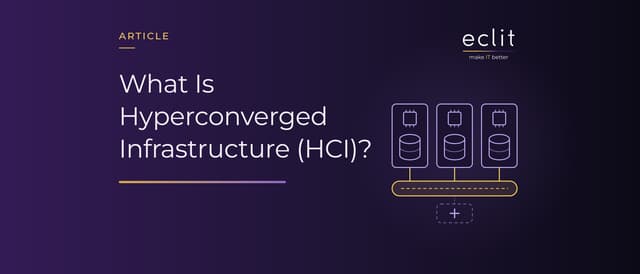
Short answer: HCI (hyperconverged infrastructure) is an architecture that combines compute, memory, storage and virtualization on standard x86 servers under a single software layer. There is no separate storage array (SAN): the local disks in each server are turned into a shared pool by software, and data is protected by copying it between servers. When you need more capacity, you add another server, or node, to the cluster, and compute and storage grow together.
What does HCI mean?
HCI stands for hyperconverged infrastructure. The idea is easiest to see against the two architectures that came before it:
- Three-tier architecture: Servers, the storage network (SAN) and the storage array are bought separately, configured separately and wired together. Each tier has its own management tool, its own specialists and its own support contract.
- Converged infrastructure (CI): The same components arrive as a single pre-tested product. Deployment is faster, but the components stay separate and are managed separately.
- Hyperconverged infrastructure (HCI): The storage array disappears. Software running on every server takes over storage, and the whole cluster is managed from a single interface.
How does HCI work?
An HCI cluster is built from similar nodes, and three pieces work together on each node:
- Hypervisor: Runs the virtual machines. VMware ESXi, Nutanix AHV, Microsoft Hyper-V and KVM are the most common examples.
- Software-defined storage: Presents the disks of all nodes as one storage pool. In VMware, this is vSAN, built into the hypervisor kernel. In Nutanix, a Controller VM runs on every node and handles all read and write traffic.
- Data protection: Every block written is also copied to other nodes. When a disk or node fails, data is read from the other copy and the cluster rebuilds the missing copy on its own.
Nutanix also applies data locality: a virtual machine's data is served from the local disks of the node it runs on wherever possible, so reads stay off the network.
How many servers does it take?
- VMware vSAN: A standard cluster needs at least three servers. A two-server cluster is also possible; in that case an external witness host casts the third vote.
- Nutanix: A cluster that tolerates one failure (RF2) needs at least three nodes, and one that tolerates two failures (RF3) needs at least five. There are one- and two-node options for branch and edge sites.
- Microsoft Azure Local: The product that replaced the Azure Stack HCI family. It is built on Hyper-V, Storage Spaces Direct and Failover Clustering, and an instance can have from one to 16 servers.
- Proxmox VE with Ceph: The open-source equivalent. Proxmox recommends at least three nodes and at least 12 OSDs (disks), evenly distributed among the nodes, for a Ceph cluster.
The hardware market has shifted too. Dell VxRail is sold as a ready-built HCI system based on vSAN. Cisco stopped selling HyperFlex in September 2024; its last date of support is February 28, 2029, and Cisco's recommended migration path is Cisco Compute Hyperconverged with Nutanix.
The network is the invisible part of HCI
In HCI, storage traffic runs over the network, because every write is copied to other nodes. That makes the network part of the architecture itself:
- vSAN's newer architecture (ESA) needs at least 10 GbE and recommends 25 GbE or higher. Round-trip latency between servers at the same site must not exceed 1 ms.
- In a vSAN cluster stretched across two sites, latency between the two main sites can be at most 5 ms.
- Proxmox recommends a network of at least 10 Gbps used exclusively for Ceph traffic, and at least 25 Gbps for high-performance clusters built on NVMe disks.
Capacity math: raw disk is not usable space
Because HCI protects data by copying it, you cannot use all of the raw capacity you buy:
- Mirroring (RAID-1, RF2): Two copies of every piece of data, tolerating one failure. A 100 GB virtual disk needs 200 GB of raw space.
- Three copies (RF3): Tolerates two failures, and raw space needs triple.
- Erasure coding (RAID-5/6): Stores parity instead of full copies. In vSAN ESA, a RAID-5 4+1 layout needs 1.25 times the raw space and RAID-6 4+2 needs 1.5 times, but both require at least six servers. In Nutanix, a 4/1 strip adds 25% overhead and a 4/2 strip 50%.
On top of that, you need to leave free space so the cluster can rebuild missing copies when a node fails. Capacity planning therefore starts not with "how many TB are we buying?" but with "how many TB can we use under the protection scheme we chose?"
These copies live inside the same cluster. They do not protect you against an event that hits the whole cluster, accidental deletion or ransomware. For that you still need a backup and replication to another site.
How VMware's licensing change affects the HCI math
After Broadcom acquired VMware, sales of perpetual licenses stopped in December 2023, and the products are now sold only by subscription, in the VMware Cloud Foundation (VCF) and VMware vSphere Foundation (VVF) bundles. Licenses are counted per core, with a minimum of 16 cores per CPU. vSAN capacity is now tied to these bundles as well: VCF includes 1 TiB of vSAN per core and VVF 0.25 TiB. In December 2025, Broadcom also confirmed that VVF is no longer available in some EMEA countries.
That ties the HCI decision directly to the licensing math. In a cluster with many cores but little data, the vSAN entitlement in the bundle may be enough; in a cluster with few cores and a lot of data it will not, and you will need extra capacity licenses. For anyone considering a platform change, Nutanix, Azure Local and Proxmox VE with Ceph are the options on the table. We cover the criteria for that decision in VMware licensing changed.
Is HCI right for every workload?
HCI is strongest in virtual desktops (VDI), branch and edge sites, steadily growing general-purpose virtualization, and organizations where one team runs the whole infrastructure. It is also a common foundation for a private cloud in your own data center.
Its weak spots are just as clear:
- Unbalanced growth: Because compute and storage grow together, a workload whose data grows but whose compute does not still pays for unused processor capacity.
- Large, static data: For archives and backup repositories, where capacity is large and compute needs are small, a separate storage tier may be a better fit.
- Network dependence: In HCI, a weak network slows down storage as well as applications.
Vendors are answering these limits with disaggregated models. VMware's vSAN storage clusters (formerly vSAN Max) let storage scale independently of compute, and Nutanix offers compute-only and storage-only nodes. HPE Alletra dHCI and the SAN-based deployment of Azure Local serve the same need.
Checklist before choosing HCI
- Do your workloads' compute, memory and capacity needs grow at the same pace?
- Have you calculated usable capacity under the protection scheme you chose (RF2, RF3, erasure coding)?
- Do you need to survive a second failure while one node is in maintenance?
- Does the network have the speed and redundancy to carry storage traffic?
- Is the license counted per core or per capacity, and have you worked out the three-year total cost?
- Is your backup and disaster recovery software compatible with the hypervisor you chose?
Frequently asked questions
What does HCI stand for? Hyperconverged infrastructure. It is an architecture that combines servers, storage and virtualization on the same hardware under one software layer.
What is the difference between HCI and a SAN? In a SAN design, storage sits in a separate array and is presented to servers over a network. HCI has no separate array; storage is built by software from the servers' own disks.
Is HCI the same as virtualization? No. Virtualization is the hypervisor layer that runs virtual machines. HCI is an architecture that adds software-defined storage and single-point management on top of that layer.
How many servers do you need for HCI? A standard cluster usually starts at three servers. Two-server clusters can be built with a witness host, and there are single-node options for branch sites.
Does HCI replace the cloud? HCI gives you a cloud-like operating model in your own data center. But you buy and run the capacity yourself; the flexibility and payment model of the public cloud are different.
Sources
- Cisco, What Is Hyperconverged Infrastructure?: definitions of HCI and CI
- Broadcom, vSAN cluster requirements: minimum server count and two-server clusters
- Broadcom, vSAN network requirements: ESA network speed and latency limits
- Broadcom, RAID-5/6 erasure coding in vSAN: capacity multipliers of each protection scheme
- Broadcom KB 313548, Counting cores: core counting and vSAN entitlement per core
- The Nutanix Bible: Controller VM, data locality, RF2/RF3 and minimum node counts
- Microsoft, Azure Local overview: components and instance size
- Proxmox VE, Deploy Hyper-Converged Ceph Cluster: node, OSD and network recommendations
- Cisco, HyperFlex end-of-life notice: end-of-sale and support dates
- How we build this layer: virtualization platforms