What Is Kubernetes? Pods, Nodes and Clusters Explained
We explain Kubernetes' control plane and node architecture, its core objects from Pods to Gateway API, release cycle, security and managed options.
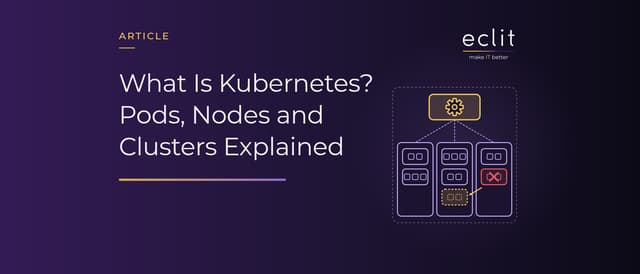
Short answer: Kubernetes is an open-source platform that runs, keeps alive and scales containerized applications across a cluster of machines. You declare the outcome you want, such as three copies of an application, and the control plane keeps moving the cluster toward that target. Applications run as Pods, which carry their containers, on virtual or physical machines called nodes. The price is operational load: each release gets about a year of patches, and many security controls are off by default. So the real decision is often whether to run Kubernetes yourself or to use a managed service.
What is Kubernetes, and what does it do?
According to the Kubernetes documentation, Kubernetes is a portable, extensible, open-source platform for managing containerized workloads and services. The name comes from the Greek for helmsman or pilot, and the abbreviation K8s comes from counting the eight letters between the "K" and the "s". Kubernetes was the inaugural project of the Cloud Native Computing Foundation (CNCF), and on March 6, 2018, it became the foundation's first project to graduate. According to CNCF's annual survey, run in September 2025 with 628 respondents, 82% of container users run Kubernetes in production, up from 66% in 2023.
Kubernetes does not build images; it runs containers packaged with tools such as Docker. Beyond the restarts, network exposure and controlled rollouts we listed in our Docker article, its jobs include storage orchestration, placing containers on nodes, secret and configuration management, and horizontal scaling.
Kubernetes architecture: control plane and nodes
A Kubernetes cluster consists of a control plane and one or more worker nodes. According to the architecture documentation, a node may be a virtual or physical machine, depending on the cluster (virtual machine article). The control plane components are:
- kube-apiserver: Exposes the Kubernetes HTTP API; users,
kubectland the parts of the cluster itself communicate through it. - etcd: A consistent, highly available key-value store for all API server data.
- kube-scheduler: Looks for Pods not yet bound to a node and assigns each one to a suitable node.
- kube-controller-manager: Runs the controllers that implement Kubernetes API behavior.
Each node runs the kubelet, which makes sure Pods are running; a container runtime such as containerd or CRI-O; and kube-proxy, which maintains the network rules behind Services. In production, the control plane usually runs across multiple machines, and that is where fault tolerance comes from.
Core objects: from Pods to Gateway API
- Pod: The smallest deployable unit in Kubernetes: one or more containers that share storage and network resources. Pods are ephemeral and are usually created through a workload resource.
- ReplicaSet and Deployment: A ReplicaSet keeps a stable set of replica Pods running at any given time. A Deployment provides declarative updates for Pods and ReplicaSets, and the documentation recommends using ReplicaSets through Deployments.
- Service: Pods come and go, and their IP addresses change; a Service exposes the application behind a single endpoint. The default type, ClusterIP, is reachable only from inside the cluster, while the LoadBalancer type uses an external load balancer.
- Ingress and Gateway API: Ingress routes HTTP and HTTPS traffic from outside the cluster to Services according to rules. The Kubernetes project has frozen the Ingress API and recommends Gateway API, which offers advanced traffic routing, in its place. Under the retirement plan announced in November 2025, the Ingress NGINX controller gets no security updates after March 2026. We cover NGINX itself in our web server article.
- ConfigMap and Secret: A ConfigMap stores non-confidential configuration as key-value pairs; a Secret holds a small amount of sensitive data such as a password, a token or a key.
- Namespace: Isolates groups of resources within a single cluster; resource names need to be unique only within a namespace.
Declarative management, self-healing and scaling
In the documentation's words, every object is a "record of intent": you write the desired state in the spec field, and the status field shows the current state. Like a thermostat bringing a room to the set temperature, controllers keep moving the current state toward the desired state. Self-healing follows from this loop: a Pod on a failed node is not moved to another node but deleted, and the ReplicaSet starts a replacement for the missing replica. We show how to verify that a Pod is really ready for traffic in Reliability Friday 02.
Scaling is the job of the HorizontalPodAutoscaler (HPA), which increases or decreases the number of Pods in a workload to match demand. In the documentation's example, the HPA adjusts the replica count to keep average CPU utilization at 50%.
Release lifecycle: upgrading every year
Kubernetes releases about three times a year and maintains only the three most recent minor releases. According to the releases page, as of October 2026 those are 1.37, 1.36 and 1.35, and each minor release gets about a year of patch support. Version 1.37, released on August 26, 2026, reaches end of life on October 28, 2027.
Skipping minor versions is unsupported when upgrading a cluster built with kubeadm, so a cluster two versions behind needs two version upgrades in sequence. The client certificates kubeadm generates also expire after one year and are renewed during control plane upgrades, so a team that postpones upgrades has to track that expiry separately.
Kubernetes security: RBAC, Secrets and network policies
The NSA and CISA Kubernetes Hardening Guide (August 2022) describes Kubernetes as a valuable target for data or compute power theft. According to the guide, namespaces are not automatically isolated, and by default no network policies are applied to Pods. The Kubernetes documentation adds that Secrets are stored unencrypted in etcd by default and that anyone who can create a Pod in a namespace can read any Secret in that namespace. The first steps:
- Enable encryption at rest for Secrets.
- Grant RBAC rights on a least-privilege basis and use
cluster-adminaccounts only where specifically needed (IAM article). - Start with a default network policy that denies all ingress and egress traffic.
- Run containers with the least privileges possible, scan images for vulnerabilities and misconfigurations, and monitor audit logs (log article).
When is Kubernetes unnecessary complexity?
The challenge respondents cite most in the CNCF survey is not technical: cultural changes with the development team, at 47%. Lack of training and security follow at 36% each, and complexity at 34%. According to the documentation, a production-quality cluster requires planning and preparation, and a highly available cluster should run at least three control plane nodes. Kubernetes does not build your application, does not provide databases or caches, and does not dictate logging or monitoring; you set those up separately.
For an application made of a few containers, running on a single server and changing rarely, that load often does not pay off. Docker Compose, a tool for defining and running multi-container applications, or a managed platform may be enough. Kubernetes earns its keep in organizations that change many services often and have a platform team to run it.
Managed Kubernetes or your own cluster?
The Kubernetes documentation suggests considering handing off some or all of the work to providers before you build a production cluster yourself. With a managed control plane, scale, availability, patches and upgrades are the provider's job:
- Amazon EKS: AWS manages the control plane and, in Auto Mode, the nodes as well. In EKS, a minor version gets 14 months of standard support followed by 12 months of extended support.
- Azure Kubernetes Service (AKS): According to Microsoft, Azure creates and operates the control plane; AKS Automatic also provisions, scales and upgrades the nodes.
- Google Kubernetes Engine (GKE): According to Google, Google Cloud manages the control plane and system components; in the recommended Autopilot mode, it manages the worker nodes too.
Responsibility is still shared. According to Amazon's EKS security documentation, AWS is responsible for the control plane and etcd, while node and container configuration, operating system patches, network controls and access management stay with the customer. Running your own cluster adds the control plane itself to that list. We handle this layer in our cloud-native platforms service, platform teams in our DevOps & platform engineering service, and CI/CD and day-to-day operations in our DevOps solutions service.
Frequently asked questions
What is Kubernetes used for? It runs containerized applications across several servers; it replaces failed replicas, routes traffic to ready Pods and scales with demand.
What does K8s mean? It is short for Kubernetes: the eight letters between the "K" and the "s" are replaced with an 8.
What is a Pod in Kubernetes? The smallest unit you run in Kubernetes: one or more containers that share network and storage resources.
What is a Kubernetes cluster? A group of machines made up of a control plane and the worker nodes where applications run.
What is managed Kubernetes? A Kubernetes service in which the cloud provider operates the control plane; Amazon EKS, Azure AKS and Google GKE are examples. Responsibility for the applications stays with the user.
Sources
- Kubernetes, Overview: definition, origin of the name, capabilities and what Kubernetes is not
- Kubernetes, Cluster Architecture and Kubernetes Components: nodes, components, controllers, CRI and high availability in production
- Kubernetes, Objects In Kubernetes and Namespaces: spec, status, desired state and namespaces
- Kubernetes, Pods, ReplicaSet and Deployments: workload objects and replacing Pods after a node failure
- Kubernetes, Service, Ingress and Gateway API: traffic objects and the frozen Ingress API
- Kubernetes Blog, Ingress NGINX Retirement: What You Need to Know: retirement schedule for Ingress NGINX (November 11, 2025)
- Kubernetes, ConfigMaps and Secrets: configuration, sensitive data and Secrets being unencrypted by default
- Kubernetes, Horizontal Pod Autoscaling and HorizontalPodAutoscaler Walkthrough: HPA definition and the 50% CPU example
- Kubernetes, Releases and Kubernetes Release Cycle: supported releases, support period and release cadence (read on October 13, 2026)
- Kubernetes Blog, Kubernetes v1.37: Garhwal: the 1.37 release (August 26, 2026)
- Kubernetes, Upgrading kubeadm clusters and Certificate Management with kubeadm: no skipping minor versions, certificate lifetime and renewal
- Kubernetes, Production environment and Options for Highly Available Topology: production requirements, managed options and at least three control plane nodes
- Kubernetes, Role Based Access Control Good Practices: least privilege and cluster-admin
- NSA and CISA, Kubernetes Hardening Guide: threats, defaults and hardening recommendations (August 2022, version 1.2)
- CNCF, Kubernetes Is First CNCF Project To Graduate: inaugural project and first graduated project (March 6, 2018)
- CNCF, Annual Cloud Native Survey announcement and report: production use and challenges (January 20, 2026; survey run in September 2025, 628 respondents)
- Docker Docs, Docker Compose: definition of Compose
- AWS, What is Amazon EKS?, EKS Kubernetes versions and Security in Amazon EKS: managed control plane, support periods and shared responsibility
- Microsoft, What is Azure Kubernetes Service (AKS)?: managed control plane and AKS Automatic
- Google Cloud, GKE overview: managed control plane and Autopilot
- How we run this layer: cloud-native platforms