Reliability Friday 02: How to Verify Kubernetes Readiness Probes
A pod can look Running and still not be ready for traffic. Why pointing readiness and liveness at the same endpoint restarts your whole fleet at once.
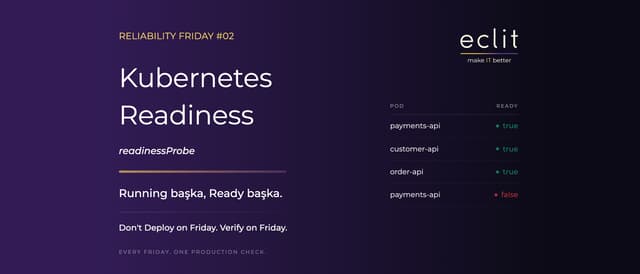
Short answer: Running is a state; Ready is a commitment. A pod showing Running does not mean the application is actually ready to take user traffic. The readinessProbe draws that line; without one, Kubernetes cannot verify readiness at the application layer and sends traffic to a pod that is not ready. Adding the probe is the easy part. The real mistake is pointing readiness and liveness at the same endpoint.
Don't Deploy on Friday. Verify on Friday.
This week's check
To see the real readiness state of your pods:
kubectl get pods -A \
  -o custom-columns='NAMESPACE:.metadata.namespace,POD:.metadata.name,READY:.status.containerStatuses[*].ready,RESTARTS:.status.containerStatuses[*].restartCount'
Expected output
A table that looks healthy:
payments-api     true    0
customer-api     true    0
order-api        true    0
A row worth investigating:
payments-api false 14false is not always a problem; a pod that has just started may briefly not be ready. But a pod that stays false needs to be investigated. The restart counter next to it tells a second story: a counter that keeps climbing points at the mistake below.
The expensive mistake: both probes on one endpoint
readinessProbe and livenessProbe ask different questions, and the Kubernetes documentation draws the distinction explicitly:
- Readiness: "can I take requests right now?" If the answer is no, the pod is pulled out of Service traffic and left to wait.
- Liveness: "is this process beyond recovery?" If the answer is yes, the container is killed and restarted.
Giving both the same /health endpoint is the most common setup error. That endpoint does the right thing for readiness and checks the database. When the database goes down, liveness fails too, and the kubelet kills the container. Every pod loses the connection at the same instant, so the entire fleet restarts in the same second. When the database comes back, it meets a wave of connections opening all at once.
The rule: liveness never looks at an external dependency. It asks only whether the process itself has deadlocked. Dependency checking is readiness's job.
Split the endpoints:
readinessProbe:
  httpGet:
    path: /ready          # database, queue, cache are checked
    port: 8080
  periodSeconds: 5
  timeoutSeconds: 2
  failureThreshold: 3

livenessProbe:
  httpGet:
    path: /live           # process-internal state only
    port: 8080
  periodSeconds: 10
  failureThreshold: 3
The second trap: an oversensitive failureThreshold
failureThreshold: 1 looks sensible, but when the probe checks a dependency with variable latency, a single slow response drops the pod out of the endpoint list. Traffic piles onto the remaining pods, their response times stretch, and they drop out too. You get an outage in which nothing actually crashed.
For slow-starting applications, use a startupProbe rather than inflating initialDelaySeconds: it silences the other two probes during startup and hands over once the application is up.
Which pods is the Service actually sending traffic to?
kubectl get endpointslices \
  -l kubernetes.io/service-name=<service-name>
Pods that are not ready should not be included in Service traffic. This command shows whether the state the probe declares is genuinely reflected in traffic routing; a mismatch between the two means the problem is in the Service definition, not the probe.
Why it matters
A missing or misconfigured readiness check leads to:
- the application taking traffic before initialization completes,
- requests accepted before dependencies are ready,
- 5xx responses and timeouts during a rolling update,
- a deployment that looks successful while the user experience breaks.
The last is the most insidious. The deployment is green, pods are Running, the dashboard is normal, and the user is getting errors. When you see that picture, the cause is almost always a missing or wrongly wired readiness probe. Kubernetes needs a signal from you to tell the two states apart.
Automate it
Check today, automate tomorrow. Add kube-score, Polaris or policy-as-code checks to the CI/CD pipeline to catch missing readiness probes before they reach production. When you write the rule, do not just ask "is there a probe?"; also check that the readiness and liveness paths differ, because that is where the real failure lives.
Detect → Understand → Automate. The weekly manual check is useful until automation is in place; it is not the end state. We followed the same approach last week for PostgreSQL replication lag.
Eclit note
In the clusters we take over, the two lines we see most often are readiness and liveness definitions sharing one /health path. Separating them is five minutes of work, and it is the only thing standing between a database outage and a fleet-wide restart.
Operating container platforms and embedding checks like this into day-to-day operations falls under our cloud-native platform services.
Every Friday. One Production Check.