What Is a VDS? Difference from VPS, How It Works, How to Choose One
A VDS is a virtual server with resources reserved for you. How it differs from a VPS, the virtualization underneath, use cases and what to check before renting.
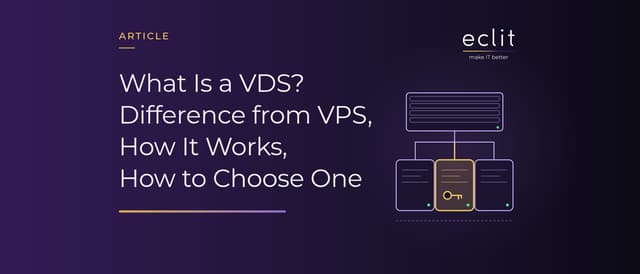
Short answer: A VDS (virtual dedicated server) is a virtual server carved out of a physical server by virtualization, with processor, memory and disk resources reserved for you alone. You get your own operating system, administrator access and a fixed monthly fee. It belongs to the same family as the VPS; in the Turkish hosting market the name VDS is mostly used for fully virtualized servers with guaranteed resources and VPS for servers with shared resources, but that is vendor language, not a standard. What to check when choosing one is not the name but whether the resources are really reserved, what kind of disk it has, where it is located and who runs it.
What is a VDS?
A physical server is divided by its hypervisor software into several isolated virtual servers; each runs its own operating system and uses the processor cores, memory and disk assigned to it. By Wikipedia's definition, a VPS or VDS is a virtual machine sold as a service. We explain the concept in detail in the virtual machine article; this article looks at that machine in its rented, hosting-market form.
What separates a VDS from shared hosting is authority and isolation: in shared hosting, hundreds of sites on one server use the same operating system and the same web server; on a VDS the operating system is yours, you install what you want, reboot it and manage the firewall yourself. What separates it from a physical (dedicated) server is the sharing of hardware: the hardware is not yours, and other customers' virtual servers run on it too; in return the price is far lower and setup takes minutes.
The difference between VDS and VPS
In English sources the two terms mean the same thing. In the Turkish hosting market a common distinction has emerged: a VPS is the cheap package that shares resources with neighbors and is usually delivered with container-based virtualization; a VDS is the package that runs on full virtualization with processor and memory guaranteed to you. The distinction has a technical basis. Wikipedia separates the two methods like this: in full virtualization each virtual machine runs its own kernel; in container-based virtualization such as OpenVZ, the containers share the host's kernel. Containers that share a kernel can be packed more densely and more cheaply; a virtual machine with its own kernel gives better isolation and runs whichever operating system you want, Windows included.
Cloud architecture has a name for the underlying problem: in Microsoft's definition, the "noisy neighbor" problem occurs when one tenant's performance is degraded because of another tenant's activity; the remedy is resource limits and stronger isolation. That is exactly what a VDS promises: your neighbor's busy hour should not be your slow hour.
One caveat matters: the distinction is not a standard and varies by vendor. The same package may be sold as a VPS by one provider and as a VDS by another; some providers deliver their VPS packages on full virtualization too. The right question is not "VDS or VPS" but "are the processor and memory reserved for me, or is the quoted figure an upper limit".
How does a VDS work?
The component underneath is the hypervisor. The common one in the Linux world is KVM: according to Wikipedia, this module, which turns the Linux kernel into a hypervisor, entered the mainline kernel with version 2.6.20, released on 5 February 2007, and requires Intel VT or AMD-V hardware virtualization support in the processor. The provider divides the physical server with a hypervisor such as KVM, Hyper-V or VMware, assigns virtual processors (vCPU), memory and disk to each virtual server, and hands you a machine with the operating system installed plus administrator access: SSH on Linux, Remote Desktop (RDP) on Windows.
The concepts you will meet in daily operation: a snapshot, a copy of the disk's state at that moment, taken before an update; a backup, which unlike a snapshot is a copy kept somewhere else; the firewall, ports closed from the provider's panel or inside the operating system; traffic quota and bandwidth, monthly data and line speed. If virtualization itself is what you are curious about, it is in the hypervisor and virtual machine article.
VDS, physical server and cloud server
All three sit under the heading "server rental" but answer different questions:
- VDS: Fixed resources, fixed monthly fee, a single server. The most economical option for predictable loads; growing usually means changing the package or rebooting.
- Physical server: The hardware is entirely yours; the highest performance and isolation, the highest cost and the longest setup. Still preferred for software licensed per core or for very heavy databases.
- Cloud server: Resources come from a pool, you pay as you go, and capacity is scaled up or down in minutes; the right option when the load is variable and automatic scaling is needed. Details are in the cloud server article.
The practical rule: if the load is steady and fits on one machine, VDS; if the load is variable or made up of several components, cloud; if there is a hardware or licensing constraint, physical server.
What is a VDS used for?
Anywhere shared hosting is no longer enough: websites and e-commerce with growing traffic, applications running your own software, development and test environments, corporate VPN and proxy endpoints, game and Discord servers, private email and DNS servers. The common thread is work that needs administrator access and predictable performance but does not justify renting a physical server.
What to check before renting a VDS
- Processor: Not only how many vCPUs you get, but how many customers that vCPU is shared with. If "dedicated cores" is promised, ask in writing what it means.
- Memory: Whether the quoted figure is guaranteed or an upper limit.
- Disk: NVMe, SSD or network-attached; if you will run a database the difference is large.
- Traffic and line: Monthly traffic quota and port speed; whether "unlimited" comes with a fair-use clause.
- Location: Proximity to your users sets latency; if you process personal data, the country the server sits in matters under KVKK as well.
- Snapshots and backups: How many snapshots you get, whether backups are kept elsewhere, how many minutes a restore takes.
- Firewall and DDoS protection: Is a panel-managed firewall and network-level DDoS protection included?
- Support and operations: Are patching, monitoring and backup verification yours or the provider's; is there a managed option?
- IP and operating system: How many IPv4 addresses are included, is the Windows license in the price?
Managed VDS: who runs it?
The real cost of a VDS is not the rent but the operation: patches, monitoring, whether the backups actually restore, firewall rules, who gets up at night during an outage. There are two paths: either your own team takes on the operation, or you hand it over. For organizations that want to hand it over, our managed cloud server service delivers the server together with monitoring, patching, backup and incident response; what the managed model covers is in the managed services article.
Frequently asked questions
What does VDS mean? Virtual dedicated server: a virtual server carved out of a physical server by virtualization, with resources reserved for you, running your own operating system.
VDS or VPS? The same thing in English. In Türkiye the name VDS is usually used for fully virtualized packages with guaranteed resources and VPS for packages with shared resources, but it varies by vendor. Look at whether the resources are reserved, not at the name.
What is the difference between a VDS and a cloud server? A VDS is a single server with fixed resources and a fixed monthly fee; on a cloud server the resources come from a pool, you pay as you go and capacity changes within minutes.
What determines the price of a VDS? The number of vCPUs and their sharing ratio, memory, disk type and size, traffic quota, location, the Windows license, snapshot and backup entitlements, and whether managed support is included.
Can a VDS run Windows? Yes; because every virtual server on full virtualization runs its own operating system, Windows Server can be installed, and the license is usually charged separately. Container-based packages share the host kernel, so Windows does not run on them.
How do you connect to a VDS? With SSH on Linux and Remote Desktop (RDP) on Windows. Your first tasks should be changing the administrator password, using keys for SSH and closing unused ports in the firewall.
Sources
- Wikipedia, Virtual private server: definition of VPS and VDS, difference between full and container-based virtualization
- Wikipedia, Kernel-based Virtual Machine: KVM's entry into the mainline kernel with 2.6.20 (5 February 2007), Intel VT and AMD-V requirement
- Microsoft, Noisy Neighbor antipattern: the noisy neighbor problem and resource governance
- AWS, What is a VPS?: difference between shared hosting, VPS and cloud servers
- Managed model: managed cloud server service