OS & Platform Lifecycle Operations
Operating system and platform lifecycle management: standard images, version tracking, end-of-support planning, and prevention of configuration drift.
What we deliver
Linux and Windows server estates built, hardened and operated, with distribution choice and version policy tied to a corporate standard.
Approved base images prepared and kept current, so a new server starts from a verified image rather than a fresh manual build.
Support end dates tracked and upgrades planned before expiry. An unsupported operating system is a vulnerability that never closes.
Configuration defined as code with Ansible and similar tooling, preventing drift between servers and returning them automatically to the desired state.
Unnecessary services disabled, secure defaults applied and the hardening checklist recorded in an auditable way.
Major version transitions planned with compatibility testing, rolled out in stages, and a way back kept open at every stage.
How it works
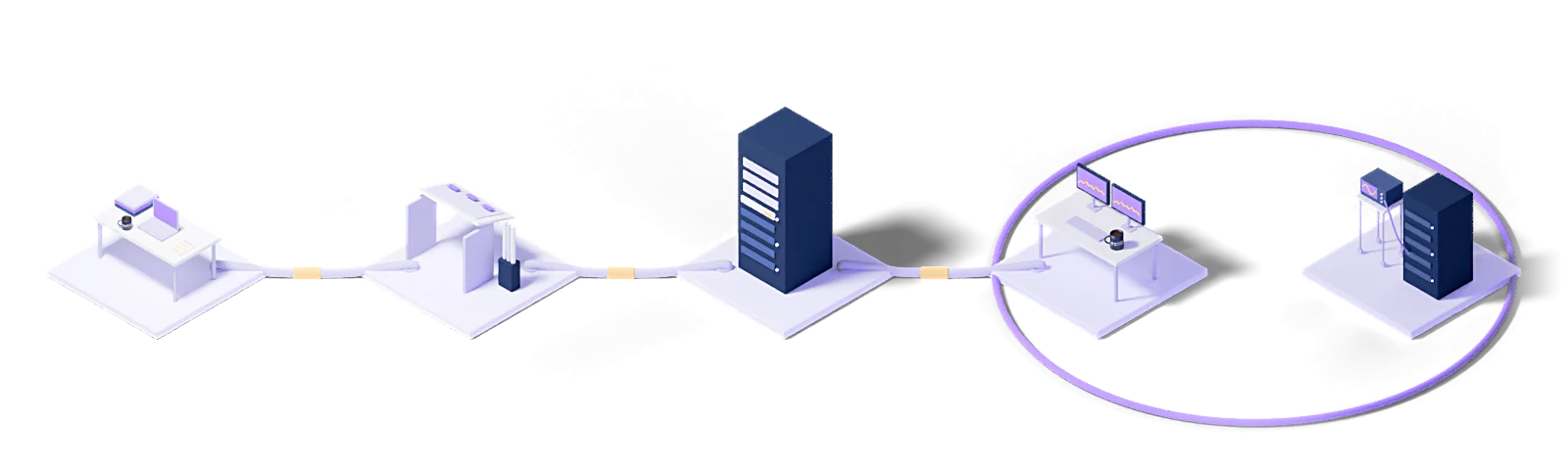
Every engagement follows the same five steps: baseline the current state, design the target model, roll out in stages, operate it, and improve against measurements.
Assess
Baseline the current state, name the gaps and put the success criteria in writing.
Design
Architect the target operating model and the toolchain it needs.
Deploy
Implement, configure and validate in a staged rollout.
Operate
24/7 management with contracted response times and proactive monitoring.
Improve
Continuous improvement driven by metrics, incidents and changes in the business.
Every engagement runs under a written SLA: a commitment, not a best-effort promise.
Dedicated engineers who know your stack. No generalist help-desk tier in between.
Service reviews every two weeks, roadmap updates every quarter.
The technologies we run this on
The concepts behind this service
- Linux
- The open-source, Unix-like kernel and the distributions built around it.
- Managed operating systems
- Installation, hardening, patching and version lifecycle of operating systems run as a service.
This section explains the technical terms used on this page. The definitions come from Eclit's own technology glossary, and each term links through to its full entry there.
The full technology glossary →Knowledge Hub
What we have written about running and managing technology, collected in one place.
Everyone Uses Terraform, but Who Is Catching the Drift?
3 min readVMware Licensing Changed: Should We Move to Proxmox?
5 min readDoes Türkiye's Cybersecurity Law Apply to You? The 15 Critical Infrastructure Sectors
5 min readWhat Is Patch Management? Patches vs Updates vs Upgrades
7 min read01Which operating systems are in scope?
Red Hat Enterprise Linux, Rocky/AlmaLinux, Ubuntu Server, SUSE and Windows Server. The first step produces a version inventory, with versions nearing end of support flagged separately.
02We are running an operating system version that is out of support. What should we do?
First we measure the risk: the vulnerabilities left open on that version, whether the application running on it is compatible with the newer one, and what migrating will cost. Then we write a phased upgrade plan. Buying extended support is also an option, but a time-limited one.
03How often are patches applied?
Routine patches in the monthly maintenance window. Critical vulnerabilities have a separate fast path: impact assessment, testing and an emergency window. In both flows patches go through a test environment first.
04How do you keep server configurations consistent?
We keep configuration as code and scan for drift on a schedule. A change made by hand shows up in the next scan; that is the only real defense against an estate whose servers diverge over time.
05Do you build a standard server template?
Yes. A hardened base image with monitoring and backup agents already installed and a defined user and privilege layout. New servers are built from that template, so they are in scope and monitored from day one.
Let's work out where to start
Within two weeks you get it in writing: what works, what carries risk, and a prioritized roadmap.
Request a conversation